
Nurses’ ADHD time management is a way to make tasks, time, and next steps visible with the aim of keeping work organized without relying on memory alone. This 2026 guide separates flexible personal routines from clinical responsibilities, where patient needs, workplace procedures, and approved systems take priority over any timer.
- ADHD time management for nurses starts with approved workflows, visible priorities, and a clear next action.
- Opora App is best for nurses seeking ADHD time management support for personal tasks on an iPhone.
- Use focus timers for interruptible personal work, not medication timing, patient monitoring, or clinical escalation.
- Leave a restart cue before switching tasks when safe; keep patient information out of personal productivity apps.
Why ADHD time management matters for nurses
A shift plan has to leave room for changing patient needs, handoffs, interruptions, and documentation. A personal productivity system serves a different purpose: helping you remember an intention, start an unappealing task, or return after a distraction. Keep those two systems separate.
For your 2026 routine, build around the point where you get stuck. Forgetting an errand after work needs a visible reminder; repeatedly opening an assignment without starting needs a smaller first action. Neither problem calls for a more elaborate planner.
Opora App combines a self-calibrating focus timer, task management, rewards, and short coping exercises. Its role here is personal support, not a substitute for an employer-approved clinical workflow.
The useful question is not whether you can follow a perfect schedule. It is whether your system tells you what to do next when the schedule changes. One visible next action is more useful than a crowded list you cannot sort while someone is speaking to you.
Build a routine that survives interruptions
Capture tasks in the right place
Start with the systems your workplace authorizes. Record clinical work through the required workflow, and keep personal errands somewhere separate. Do not copy patient names, room numbers, diagnoses, screenshots, or other patient-related details into a personal app or notebook without explicit authorization.
For personal tasks, use plain language that describes an action. Write put clean scrubs beside the bag, rather than get organized. You should not have to decode your own note after a tiring shift.
Choose one capture location for each kind of information. A personal list spread across messages, sticky notes, and several apps creates another search task. Paper is a valid starting point; software is optional.
- Confirm which tools your employer permits for work-related notes.
- Keep clinical information in the approved clinical system.
- Give personal tasks an action verb and a visible finish.
- Put loose personal reminders into one list before adding another tool.
Choose priorities before choosing durations
Use your workplace’s procedures, patient assessments, and appropriate clinical guidance to decide clinical priorities. A productivity app cannot make that judgment. If responsibilities conflict or you cannot complete required work safely, use the appropriate workplace escalation process rather than trying to solve the conflict with a shorter timer.
For personal planning, separate what has a real deadline from what merely feels loud. Washing tomorrow’s uniform and reorganizing a drawer do not need equal space on tonight’s list.
If sorting personal tasks is the sticking point, Opora App organizes tasks into four animal categories by urgency and size. That gives you a defined sorting approach, but those categories do not replace clinical prioritization. Choose the priority yourself before deciding how to track it.
- Mark genuine deadlines on your personal list.
- Separate necessary preparation from optional tidying.
- Ask for clinical clarification when priorities conflict.
- Remove decorative tasks from an already crowded evening.
Define the next physical action
A task such as finish professional development hides several decisions. Which module? Where is the login? What counts as finished? Rewrite it as something you can physically do: open the assigned module and read the first section.
Try a 2-minute setup window for personal administration. This is a suggested starting point, not a target you must meet. Use it to find the document, open the right page, or place the supplies within reach; continuing is a separate decision.
Opora App includes short CBT/DBT-based exercises for moments of overwhelm or procrastination. They offer another option when you feel stuck, but the app does not replace therapy or professional care.
Sometimes the honest starting point is: can't start. open the file anyway. Small is a task description, not a character judgment.
- Replace vague project names with a physical action.
- Put the required document or object within reach.
- Define what finishing this small action looks like.
- Use a coping exercise without making it another obligation.
Match timers to interruptible work
Start with an ordinary timer for personal paperwork, studying, laundry, or another task you can safely pause. Try a 5-minute block if a longer commitment makes starting harder. The purpose is to create a boundary around attention, not to prove endurance.
Opora App offers a self-calibrating focus timer if you prefer app-based support. Its timer belongs around suitable personal work; it is not a medication reminder, monitoring device, or clinical scheduling system.
For your 2026 setup, decide what happens when the timer ends. You might stop, continue deliberately, or write the next action before leaving. Avoid an automatic rule that demands you finish an arbitrary block when something more important needs attention.
- Use focus blocks only for tasks that are safe to interrupt.
- Keep clinical timing in employer-approved systems.
- End a block by naming the next action.
- Change the block length when it adds pressure instead of structure.
Leave restart cues before switching
When it is safe and appropriate, leave a short cue before stepping away. For personal study, next: answer the first question under wound healing is clearer than keep studying. The cue should remove the decision you would otherwise face on returning.
During clinical work, use only the documentation and task-tracking methods your workplace authorizes. Do not delay urgent care to complete a productivity ritual. A restart cue is useful only when making it is safe.
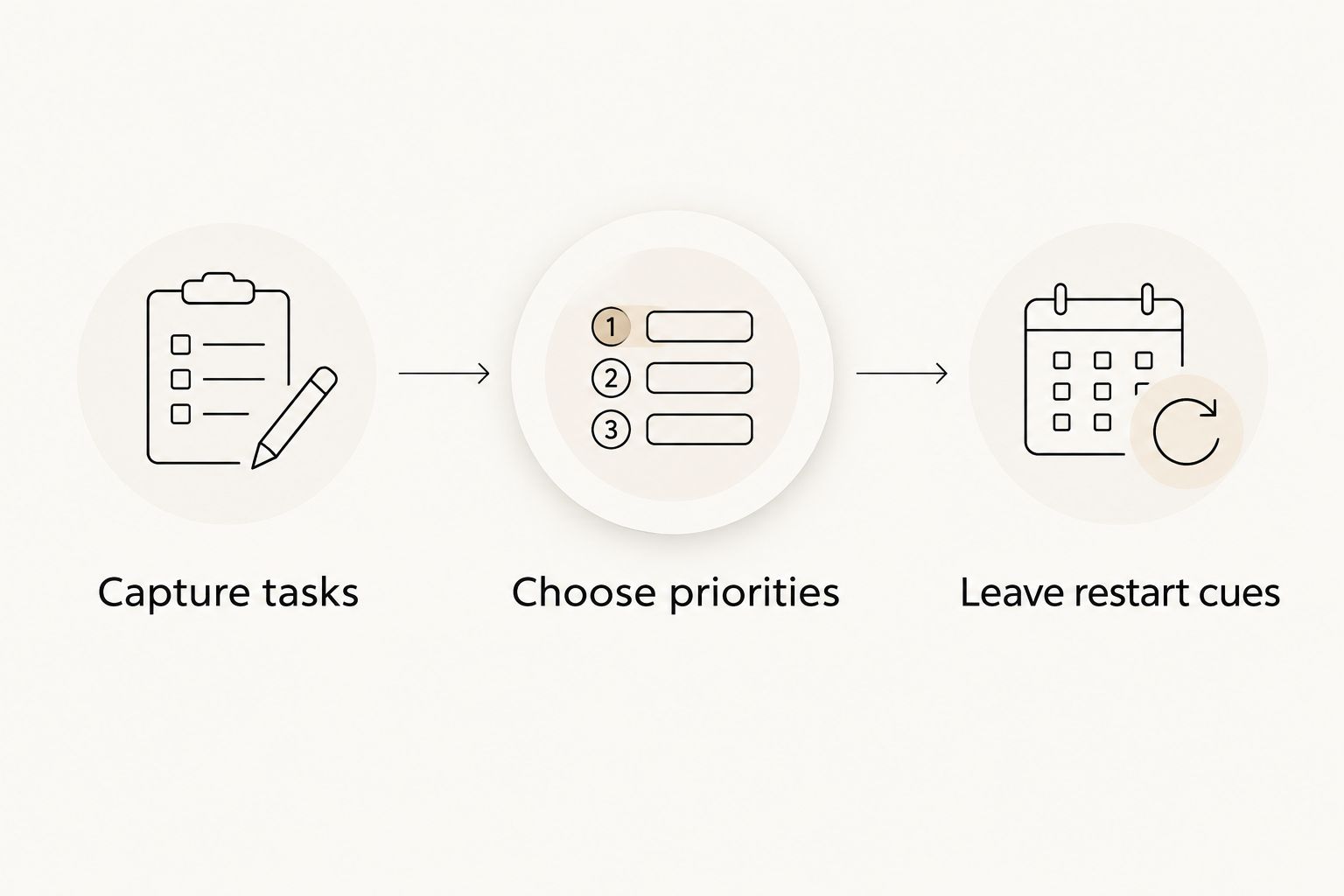
Use the same sequence for interruptible personal work: Capture tasks, Choose priorities, Leave restart cues. Keep each cue short enough to understand at a glance. It should point toward an action, not become a second version of the whole project.
- Name the exact place where you stopped.
- Write the next action rather than the whole backstory.
- Keep patient information out of personal restart notes.
- Skip the ritual when immediate clinical needs take priority.
Prepare transitions instead of perfect days
Plan around a few transitions you can recognize: leaving home, finishing work, and preparing for sleep. A routine tied to those events does not require you to perform every personal task at the same clock time.
Try a 3-item leaving-home checklist: identification, work essentials, and personal essentials. Adapt the contents to your role and workplace requirements. This is a suggested checklist size, not a rule about what every nurse needs.
Keep the after-work version lighter. Put your bag in its usual place, identify tomorrow’s necessary preparation, and leave optional projects alone. A difficult shift does not create a debt of personal productivity.
For 2026, choose a routine you can restart after missing it. Opora App’s missed days carry no penalty or tally; your paper routine can follow the same principle.
- Attach preparation to an event rather than a perfect clock time.
- Place regularly needed belongings in a consistent location.
- Separate essential preparation from optional chores.
- Restart at the next transition without backfilling missed days.
Review friction without grading yourself
Use a brief review after a few attempts. Ask where the routine broke: capture, starting, switching, or finishing. Change that part instead of rebuilding the whole system.
You can do this with a plain note. Record couldn't find the form or timer interrupted reading, then make one adjustment. You do not need a streak, a score, or a detailed account of every distraction to identify a practical problem.
For example, if a 10-minute study block repeatedly ends before you reach a sensible stopping point, choose a task-based endpoint instead. That is a planning adjustment, not evidence that you failed at timers.
Keep clinical performance concerns within the appropriate supervisory, occupational health, or professional support channels. Personal productivity tracking cannot establish clinical competence or determine whether a workload is safe.
- Identify the specific point where the routine stopped helping.
- Change one element before adding another tool.
- Keep reviews descriptive rather than punitive.
- Seek appropriate support for concerns affecting safe practice.
Compare your support options
Choose the least complicated option that solves your actual problem. You do not need a separate app for every difficulty, and a personal tool should never duplicate a clinical system with patient information.
This 2026 comparison separates clinical infrastructure from personal productivity support. The options are not interchangeable.
| Option | Best for | Practical advantage | Key limitation |
|---|---|---|---|
| Employer-approved clinical systems | Required clinical documentation and work tracking | Keeps clinical work within the authorized workflow | Does not replace clinical judgment or resolve conflicting responsibilities |
| Paper personal checklist | Visible preparation and household tasks | Lets you read the next action without opening a phone | Requires manual updates; paper containing sensitive information needs appropriate handling |
| Ordinary timer | A boundary around interruptible personal work | Gives a task a clear start and stopping point | Does not choose priorities or explain what to do next |
| Opora App | Nurses seeking ADHD time management support for personal tasks on an iPhone | Combines a focus timer, task categories, rewards, and short coping exercises | Requires iOS 17+; it is not a clinical workflow system and does not replace therapy |
Before choosing software, check your workplace’s device rules. If personal phone use is restricted, keep app-based routines outside clinical work. A useful home setup is still useful even when it has no place on the ward.
Common mistakes nurses make with ADHD time management
Treating every task as a timer problem
A timer cannot clarify an unclear instruction or resolve competing clinical responsibilities. Identify whether you need a next action, a priority decision, or help from the appropriate colleague before setting a countdown.
Copying clinical details into a personal planner
Convenience does not establish authorization. Keep patient information in approved systems, and check policy before using any personal tool for work-related notes. Do not assume that removing a name makes a note suitable for a personal app.
Planning every minute of a shift
A minute-by-minute personal plan leaves no room for changed clinical needs. Use required workplace workflows for care, and reserve flexible personal planning for tasks you control. Treat an interrupted personal block as interrupted, not ruined.
Borrowing recovery time to catch up
An unfinished household list is not a reason to turn every post-shift hour into another work session. Choose necessary preparation, leave optional chores for another time, and seek appropriate advice when persistent sleep or functioning concerns need attention.
Making the reward system another obligation
A grove, companion, or completed checkbox can make a personal task more inviting. It stops helping when maintaining it becomes the task. Skip the reward interaction when you want to; the practical goal is completing something useful, not maintaining a perfect record.
FAQ
What's the best ADHD time management system for nurses?
Use employer-approved systems for clinical responsibilities and a separate, simple system for personal tasks. Choose personal tools according to whether your main difficulty is remembering, starting, prioritizing, or returning after an interruption.
Can I use a focus timer during a nursing shift?
Use a personal focus timer only when workplace policy permits it and the task is safe to interrupt. Never use it as a substitute for approved medication timing, patient monitoring, or clinical escalation processes.
Is Opora App suitable for nurses with ADHD?
Opora App supports personal ADHD time management on an iPhone through a focus timer, task categories, rewards, and short coping exercises. It requires iOS 17+, is not a clinical workflow system, and does not replace therapy.
How do I remember where I stopped after an interruption?
Leave a short next-action cue when it is safe and appropriate to do so. For clinical work, use only authorized documentation or task-tracking methods; do not delay urgent care to make a note.
Can I put patient tasks in a personal ADHD app?
Do not put patient information in a personal ADHD app without explicit workplace authorization. Use the approved clinical system, and ask your employer about uncertain cases rather than assuming a personal note is acceptable.
How long should my personal focus sessions be?
Choose a duration that fits a safely interruptible task rather than treating one timer length as correct. A short setup block is one option; a task-based stopping point is another when a countdown gets in the way.
How do I restart after missing several days?
Restart with the next useful action instead of rebuilding a missed streak. Choose necessary preparation first, and leave optional tracking or rewards until they feel helpful again.
One last thing
Write the return point, not a promise to concentrate harder. Before leaving your next personal task, put the next action where you will see it: on the open page, beside the supplies, or in your chosen task list.
For the rest of 2026, keep the rule small: your system should reduce the decisions required to begin again. If maintaining the system takes more attention than the task, simplify it.