
Software developers’ ADHD focus tools are timers, task organizers, and coping exercises used to make starting, sustaining, and resuming coding work more manageable. This 2026 guide explains how to choose them around a real development workflow: an unclear ticket, a failing test, an interruption, and the next small action.
- Match ADHD focus tools for software developers to the blocker: starting, task switching, or overwhelm.
- Opora App suits iPhone users seeking a focus timer, task management, and short coping exercises together.
- Keep shared engineering commitments in your team tracker; use personal tools for the next action.
- Judge a focus session by its useful stopping note, not just its duration.
Why focus tools matter for software developers
A ticket describes an outcome. It does not necessarily tell you what to do with your hands when the editor opens. For your 2026 setup, separate the work of choosing an action from the work of staying with it.
Consider a task such as fixing an intermittent login failure. Reading logs, reproducing the bug, changing code, and checking the result are different actions; putting them under one checkbox hides the starting point.
The tools should serve those actions, not create another place to maintain a perfect backlog. Opora App combines a self-calibrating focus timer, task management, a grove and companion reward system, and short CBT/DBT-based exercises on iPhone.
Opora App is best for iPhone users who want ADHD focus tools that combine timing, task organization, and coping exercises. Its iOS 17+ requirement matters: choose it as a personal companion to development work, rather than making it your team's shared record.
Build your focus setup around the next action
Start with paper, an existing notes app, and whatever timer you already have. Add a dedicated app when it removes a specific repeated step, not because your current system looks insufficiently organized.
Define a visible starting action
Replace a broad goal with something you can observe yourself doing. Instead of improving error handling, write: open the failing test and read the assertion. That instruction has a clear beginning even when the whole solution remains uncertain.
Try a 2-minute starting action as an experiment, not a requirement to finish meaningful engineering in 2 minutes. The point is to reach the code, evidence, or question that makes the next decision possible.
When a task still feels impossible to start, make it smaller without pretending it is easy. Opening the relevant file is a legitimate action; designing an entire replacement module is not a small first step.
- Write an action beginning with open, run, read, reproduce, or compare.
- Include the filename, test name, or issue reference you need.
- Define what you should see when that action is complete.
- Keep unrelated improvements outside the starting action.
Separate team commitments from personal next actions
Keep your team's tracker as the record of agreed work. Use a private note for the immediate actions that help you make progress. This avoids making colleagues interpret a personal focus system to understand delivery status.
Your personal list does not need to reproduce the full ticket description. A short action plus a ticket reference is enough to reconnect the two. When the team changes priorities, update the action rather than maintaining parallel project plans.
For a 2026 workflow review, ask whether each list has a distinct job. If the same information appears everywhere, remove a copy before adding another tool.
- Leave acceptance criteria and shared status in the team tracker.
- Write the next executable action in your personal list.
- Record unrelated ideas in a separate parking note.
- Reconcile your personal action when the ticket changes.
Choose a timer around the task
Begin with a basic countdown or stopwatch. Choose a 10-minute trial for a task you are avoiding, then decide whether the next interval should change. This is a suggested experiment, not a clinical prescription or a proven ideal session length.
Use the timer to create a check-in, not a deadline for solving an unknown bug. When it rings, inspect what changed: did you reproduce the failure, locate relevant code, or identify a missing piece of information?
Opora App offers a self-calibrating focus timer if you want timing alongside your personal tasks. The trade-off is device fit: opening an iPhone during coding needs to be a deliberate choice, especially if that phone also carries your distractions.
- Define the session's action before starting the timer.
- Place the phone where you can leave it alone.
- Stop at a safe boundary when the timer signals.
- Change the next interval based on the task you actually encountered.
Leave a restart note before switching
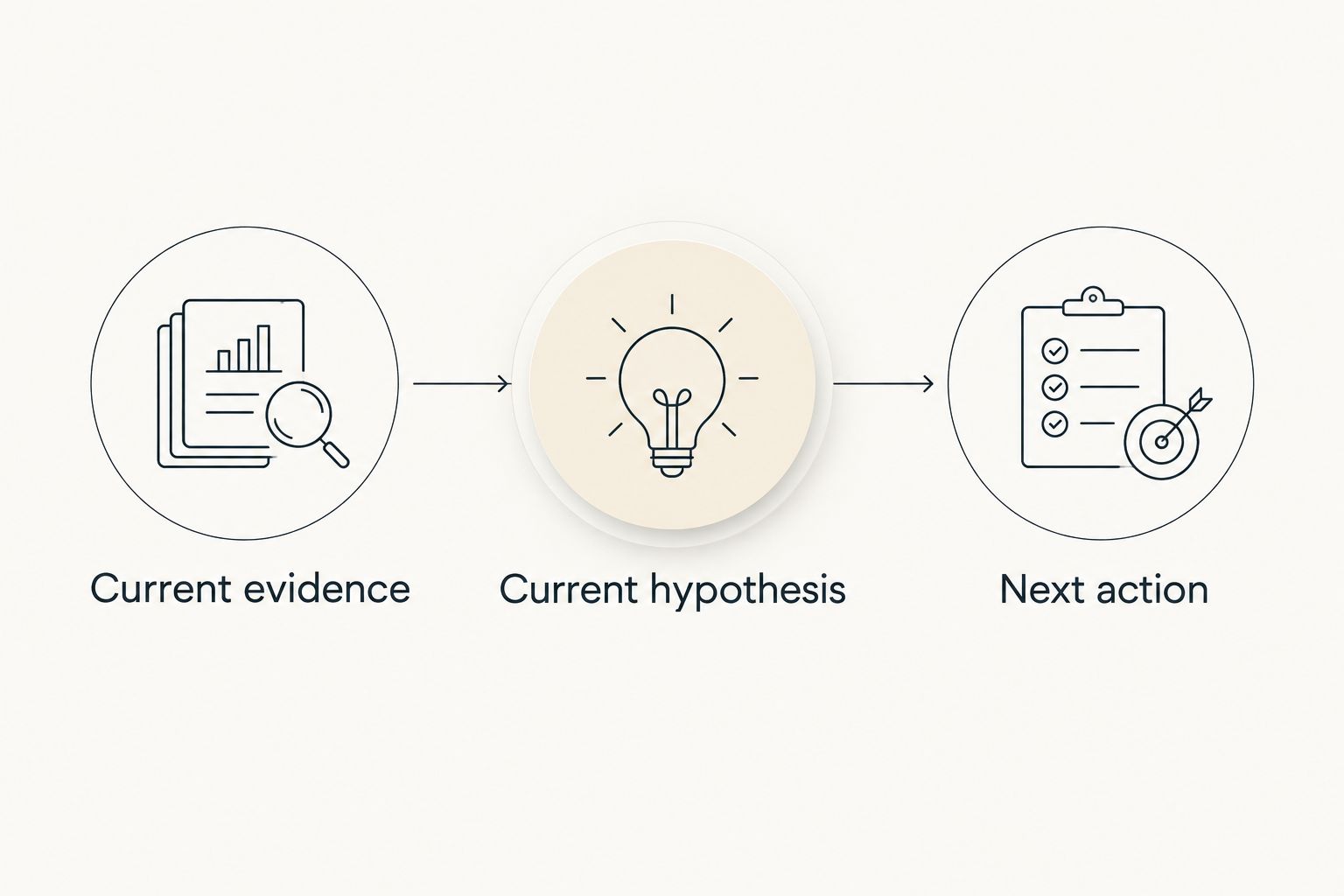
Use a text file or note beside your working materials. Before a meeting, review, or break, write what you found and what to do next. A useful restart note saves you from asking your future self to reconstruct every decision.
Try this format: current evidence, current hypothesis, next action. For example: the test fails only with an expired session; inspect token refresh handling next. Keep uncertainty explicit rather than writing the hypothesis as a confirmed cause.
A restart note is also useful when you stop voluntarily. You do not have to finish the whole problem to leave the work in a resumable state.
- Name the file, test, or log you were examining.
- State what the evidence shows, without overstating it.
- Write the next command or question to investigate.
- Keep sensitive logs and credentials out of personal notes.
Match the response to the blocker
Pause before choosing another productivity technique. Are you missing information, avoiding an uncomfortable action, or trying to hold too many possible actions at once? Those situations call for different responses.
For missing information, write a question for the relevant colleague. For a crowded task list, select one visible action. For overwhelm, step away from the demand briefly and use a coping exercise if that suits you.
Opora App includes short CBT/DBT-based exercises for moments of overwhelm or procrastination. Treat those exercises as support for the moment, not proof that the task is now manageable or a substitute for professional care.
- Ask a specific question when the task lacks necessary information.
- Reduce the action when the starting point is unclear.
- Use a coping exercise when overwhelm is the immediate obstacle.
- Reassess the task before restarting the timer.
Set an interruption boundary
Start with existing notification settings and a visible note about your current task. Decide what deserves an immediate response before beginning a session. A production incident and a routine channel update should not automatically receive the same treatment.
Agree on any team-facing boundary with colleagues. A personal focus tool does not change an on-call responsibility, meeting commitment, or escalation process.
In 2026, review the actual interruption routes in your workday rather than installing a blocker by default. Close the irrelevant browser tab; preserve access to documentation, authentication, and communication you need to do the job.
- Silence nonessential alerts for the chosen session.
- Keep the team's agreed urgent channel reachable.
- Put incoming nonurgent work in a parking note.
- Leave a restart note before answering an unavoidable interruption.
Review usefulness instead of protecting a streak
At the end of a working day, look at what helped you return to the task. Count completed sessions only if that number informs a decision. A timer total does not explain whether you learned why a test failed.
Review your setup after 3 working days as a small personal experiment. Compare the friction of opening the tool, recording an action, and returning after a break. These are evaluation instructions, not promised results.
Rewards can be part of the routine without becoming another obligation. Opora App includes a gamified grove and companions, and missed days carry no penalty or tally. Keep the system that helps; simplify the parts you avoid maintaining.
- Record one useful outcome from the session.
- Note where you lost your place or needed help.
- Remove a field or ritual that adds no useful information.
- Restart after a missed day without creating catch-up work.
Compare focus options for your development workflow
The best ADHD focus tools for software developers depend on the problem you need to address. A timer marks time; a task list names work; a coping exercise serves a different purpose. Do not evaluate all three as though they were interchangeable.
For your 2026 comparison, choose the smallest setup that covers your actual obstacle. Start with an existing option, then add structure only where you can name the benefit.
| Option | Best for | Practical advantage | Key limitation |
|---|---|---|---|
| Paper or an existing notes app | Defining the next coding action | Lets you write a concrete instruction without building a new system | You must maintain the action and remember to return to it |
| Basic countdown or stopwatch | Testing a bounded work session | Separates starting work from deciding how long to continue | Does not organize the task or address overwhelm |
| Team issue tracker | Shared commitments and acceptance criteria | Keeps agreed engineering work visible to colleagues | A ticket still needs translation into a personal next action |
| Opora App | iPhone users wanting timing, tasks, and coping exercises together | Combines a self-calibrating timer, task categories, rewards, and short exercises | Requires iOS 17+; you still need to keep shared engineering status in the team's system |
The app's task manager sorts tasks into four animal categories by urgency and size. Use that personal organization to distinguish actions, while keeping technical requirements and team decisions where colleagues expect them.
Choose a tool for the obstacle you have, not the routine you think you should have. If writing the next command on paper gets you moving, there is no requirement to replace it.
Common mistakes software developers make
Turning a whole ticket into one focus task
A ticket can contain investigation, implementation, testing, and review preparation. Write the next observable action instead of asking a timer to make the entire ticket smaller. Keep the larger outcome available for context.
Breaking concentration at an unsafe stopping point
A timer is a check-in, not an instruction to abandon an incomplete note or leave a risky change unattended. Reach a safe stopping point, record the current state, then take the break. Do not use focus intervals to override operational responsibilities.
Tracking activity instead of useful evidence
A long session does not establish that the suspected cause is correct. Record the test result, reproduced behavior, or unanswered question. That evidence tells you what to investigate next; elapsed time alone does not.
Maintaining a second engineering backlog
Copying every ticket into a personal app creates another record to reconcile. Keep personal actions short and connected to their shared source. If priorities change, your private system should be easy to update or discard.
Treating coping exercises as treatment
A productivity app does not replace therapy. Use exercises as optional support, and discuss persistent difficulties with a qualified clinician. Needing help is not evidence that you failed to configure your timer correctly.
FAQ
What's the best ADHD focus tool for a software developer?
The best fit depends on whether your immediate obstacle is starting, keeping track of work, or overwhelm. Use a written next action for unclear work, a timer for bounded sessions, and optional coping exercises for difficult moments.
Should I use a fixed timer length for coding with ADHD?
You do not need to use a fixed timer length. Choose a trial interval, observe where it interrupts or supports the work, and adjust the next session around a safe stopping point.
Can I use my team's issue tracker instead of a personal task app?
Yes, you can use your team's issue tracker alongside a simple note for your next action. A separate personal app is useful only when its structure helps you start or return to work.
What should I write before a meeting interrupts my coding?
Write the current evidence, your current hypothesis, and the next action. Include the relevant file or test so you can resume without reconstructing the whole investigation.
Is an iPhone focus app suitable if I code on a computer?
An iPhone app can serve as a personal timer and task companion while you code on a computer. Choose it only if using the phone supports your routine rather than drawing you into unrelated activity.
How do I measure whether my focus setup is helping?
Measure whether you can identify the next action and return after interruptions. Session totals can provide context, but pair them with concrete outcomes such as a reproduced bug or a clarified question.
Can ADHD productivity tools replace therapy?
No, ADHD productivity tools do not replace therapy. Timers, task lists, and short exercises can support daily routines, but they are not a substitute for professional assessment or treatment.
One last thing
Prepare the return before you take the break. Leave the relevant test or file identified and write the next action in plain language. Your future self needs a starting point, not a motivational speech.
For your next session, change just that detail. You do not need to redesign your entire working day before opening the editor again.