

Best overall for ADHD-focused task support on iPhone: Opora App. Best for straightforward lists: Microsoft To Do. Best for built-in iPhone reminders: Apple Reminders. This 2026 guide compares a to do list for adhd by what happens after you write the task down: choosing it, starting it, and returning when your attention wanders.
- Opora App is the best fit for iPhone users seeking ADHD-focused task management, a focus timer, and coping exercises.
- Microsoft To Do suits straightforward daily lists; Apple Reminders suits people who want to keep using built-in iPhone tools.
- Todoist suits project organization, TickTick suits timed work, and Trello suits visual task boards.
- Choose a to do list for adhd around your sticking point, not the longest feature list.
Why this matters
A list can hold everything you need to do without helping you do any of it. Capturing a task and starting a task are different jobs.
If you regularly open your list, read it, and close it again, another collection of folders is not the obvious next move. Look for a way to make the next action clearer or begin a work session. If you forget commitments altogether, reminders deserve more attention than rewards or board layouts.
The best app is the one whose main feature addresses your actual sticking point. None of these apps diagnoses ADHD or replaces treatment. Opora App does not replace therapy, and missed days carry no penalty or tally.
What makes the best to do list for adhd?
For this 2026 shortlist, the useful criteria are practical rather than clinical:
- Capture: Can you record a task without first deciding where it belongs?
- Next-action clarity: Can you tell what to work on when you reopen the app?
- Starting support: Does the app offer a timer or another clear transition into work?
- Reminder fit: Does the reminder match the task, rather than adding another interruption?
- Maintenance: Will you keep using the system without spending your work session organizing it?
- Device fit: Does the app belong on the devices you actually use?
Choose the criterion that describes your problem first. A polished board is a poor match if maintaining columns becomes another unfinished task. A timer is not a substitute for a reminder when you need to remember an appointment.
Best ADHD to-do apps at a glance in 2026
| App | Best for | Standout feature | Key limitation |
|---|---|---|---|
| Opora App | ADHD-focused starting support on iPhone | Task categories, self-calibrating focus timer, and short coping exercises | Requires an iPhone with iOS 17 or later |
| Microsoft To Do | Straightforward daily lists | My Day for selecting today's tasks | List organization does not provide a built-in focus-session workflow |
| Apple Reminders | Built-in iPhone reminders | Time- and location-based reminders | Less suited to planning work through visual project stages |
| Todoist | Organizing tasks across projects | Projects, labels, and filters | Extra organization requires upkeep |
| TickTick | Pairing tasks with timed work | Task management alongside a Pomodoro timer | More features mean more setup choices |
| Trello | Seeing work move through stages | Boards, lists, and cards | Boards need deliberate maintenance to stay useful |
The table separates use cases, not clinical outcomes. A reminder app, a visual board, and an ADHD-focused task app solve different parts of the same day.
1. Opora App: best ADHD to-do app for getting started on iPhone
Opora App combines task management with a self-calibrating focus timer, a gamified grove and companion reward system, and short CBT/DBT-based exercises for overwhelm or procrastination. Tasks sit in four animal categories based on urgency and size, giving you a structure beyond an undifferentiated list.
That combination fits the moment when you know what needs doing but cannot get into it. can't start. and won't. The useful distinction is that the app includes both a place to organize the task and tools for the moment before starting.
Opora App pros:
- ADHD-focused task management rather than a general project board.
- A focus timer alongside the task list.
- Short exercises for moments of overwhelm or procrastination.
- Grove and companion rewards, with no missed-day penalty or tally.
Opora App cons:
- Requires an iPhone running iOS 17 or later.
- The animal-category approach is a specific structure, not a blank organizational canvas.
- Tasks, rewards, and exercises add more elements than a plain checklist.
Best for: Individual iPhone users who want support with both choosing tasks and beginning them.
Verdict: Buy into this approach if starting is your main obstacle and the iPhone requirement fits. Choose a simpler list if you only need somewhere to capture errands.
2. Microsoft To Do: best ADHD to-do app for straightforward daily lists
Microsoft To Do organizes tasks into lists and includes My Day, a view for selecting what you intend to tackle today. It also supports reminders, due dates, and steps within tasks.
Its appeal is a familiar list structure. You can keep a broader collection of commitments while making a separate selection for the day, without turning every task into a project board.
Microsoft To Do pros:
- My Day separates today's selection from your other tasks.
- Steps let you break a task into smaller actions.
- Due dates and reminders support commitments you need to remember.
Microsoft To Do cons:
- You still need to decide what belongs in My Day.
- A reminder does not walk you through starting the task.
- Multiple lists create more places to check.
Best for: People who want a conventional checklist with a deliberate daily selection.
Keep My Day selective. Moving your whole backlog into today's view removes the distinction that makes the view useful.
Verdict: Buy into Microsoft To Do for simple daily selection; skip it if you specifically want integrated focus sessions.
3. Apple Reminders: best ADHD to-do app for built-in iPhone reminders
Apple Reminders supports lists, subtasks, and reminders tied to time or location. It is a direct option when your main problem is remembering an action at the right moment.
You do not need to turn it into an elaborate system. A clearly named task and a relevant reminder can be enough for a specific commitment.
Apple Reminders pros:
- Time-based reminders support scheduled actions.
- Location-based reminders connect a task to a place.
- Subtasks let you separate a larger task into actions.
Apple Reminders cons:
- Reminder notifications are not a guided starting routine.
- A growing set of lists still needs review.
- Its list-centered approach is less direct than a board for tracking project stages.
Best for: iPhone users who forget commitments and prefer to keep using built-in tools.
For example, name the action you need to take rather than the subject you need to remember. Submit reimbursement is clearer than expenses when the reminder appears.
Verdict: Buy into Apple Reminders for timely prompts; skip it as your main system if visual project stages are essential.
4. Todoist: best ADHD to-do app for organizing several projects
Todoist uses projects, labels, and filters to organize tasks. Recurring tasks also support responsibilities that return on a schedule.
This suits work spread across separate areas: a household task, a client deliverable, and an ongoing personal project do not need to share one long list. The trade-off is that you are responsible for keeping the structure useful.
Todoist pros:
- Projects separate different areas of work.
- Labels and filters create views across tasks.
- Recurring tasks support repeating responsibilities.
Todoist cons:
- Labels and filters require decisions and upkeep.
- Project organization can become a distraction from the next action.
- A well-sorted task still needs a concrete starting point.
Best for: People whose main difficulty is finding the relevant task among several projects.
Start with projects that reflect real responsibilities. Add another organizational layer only when you can explain what decision it helps you make.
Verdict: Buy into Todoist for project organization; hold off if you tend to rebuild systems instead of using them.
5. TickTick: best ADHD to-do app for pairing lists with timed work
TickTick combines task management with a Pomodoro timer and habit tracking. It suits people who want to move from a task list into a timed session without maintaining separate tools for those functions.
The timer is the deciding feature here. If your list already works but your work sessions lack a clear beginning and end, that pairing addresses a different problem than adding more categories.
TickTick pros:
- Task management and timed work live in the same app.
- Recurring tasks support repeating responsibilities.
- Habit tracking provides a separate place for recurring routines.
TickTick cons:
- More features create more choices about your setup.
- Habit tracking adds another record to maintain.
- A timed session still requires choosing the task first.
Best for: People who already like timed work and want it alongside their tasks.
Do not adopt every feature at once. Begin with the task list and timer, then add another function only when it solves a specific problem.
Verdict: Buy into TickTick for task-linked timed work; skip the extra tracking if it feels like homework.
6. Trello: best ADHD to-do app for visual project stages
Trello organizes work into cards placed in lists on a board. Moving a card between lists makes its stage visible, such as Next, Doing, or Done.
That format suits projects where the question is not only what needs doing, but where each piece of work stands. It is less direct for someone who just wants a short daily checklist.
Trello pros:
- Cards make individual pieces of work visible.
- Lists show the stages you define.
- Checklists inside cards break work into smaller actions.
Trello cons:
- You must move cards to keep the board accurate.
- Extra boards and columns add maintenance.
- A crowded board still requires a decision about what to start.
Best for: People who understand work more clearly as visible stages than as a vertical task list.
Keep the stages meaningful. A column deserves space only if moving a task into it changes what you need to do next.
Verdict: Buy into Trello for visual workflows; skip it when a board adds more upkeep than clarity.
How this 2026 shortlist is ranked
The order follows feature fit: ADHD-focused starting support first, then straightforward daily selection, reminders, project organization, timed work, and visual stages. These are editorial recommendations based on each app's functions, not claims of clinical effectiveness or measured productivity gains.
Your main obstacle outranks the overall position. If forgetting is the problem, begin with reminders. If sorting several projects is the problem, begin with project organization.
Try the system before rebuilding your life around it
Use one real task to judge the workflow. Not a demonstration task. Pick something you have actually been avoiding, then follow this sequence:
- Capture: Write the task as an action you can recognize later.
- Choose: Select the part you intend to work on now.
- Start: Try a 5-minute session as a suggested starting point, not a required duration.
- Return: Leave a note describing the next action before you stop.
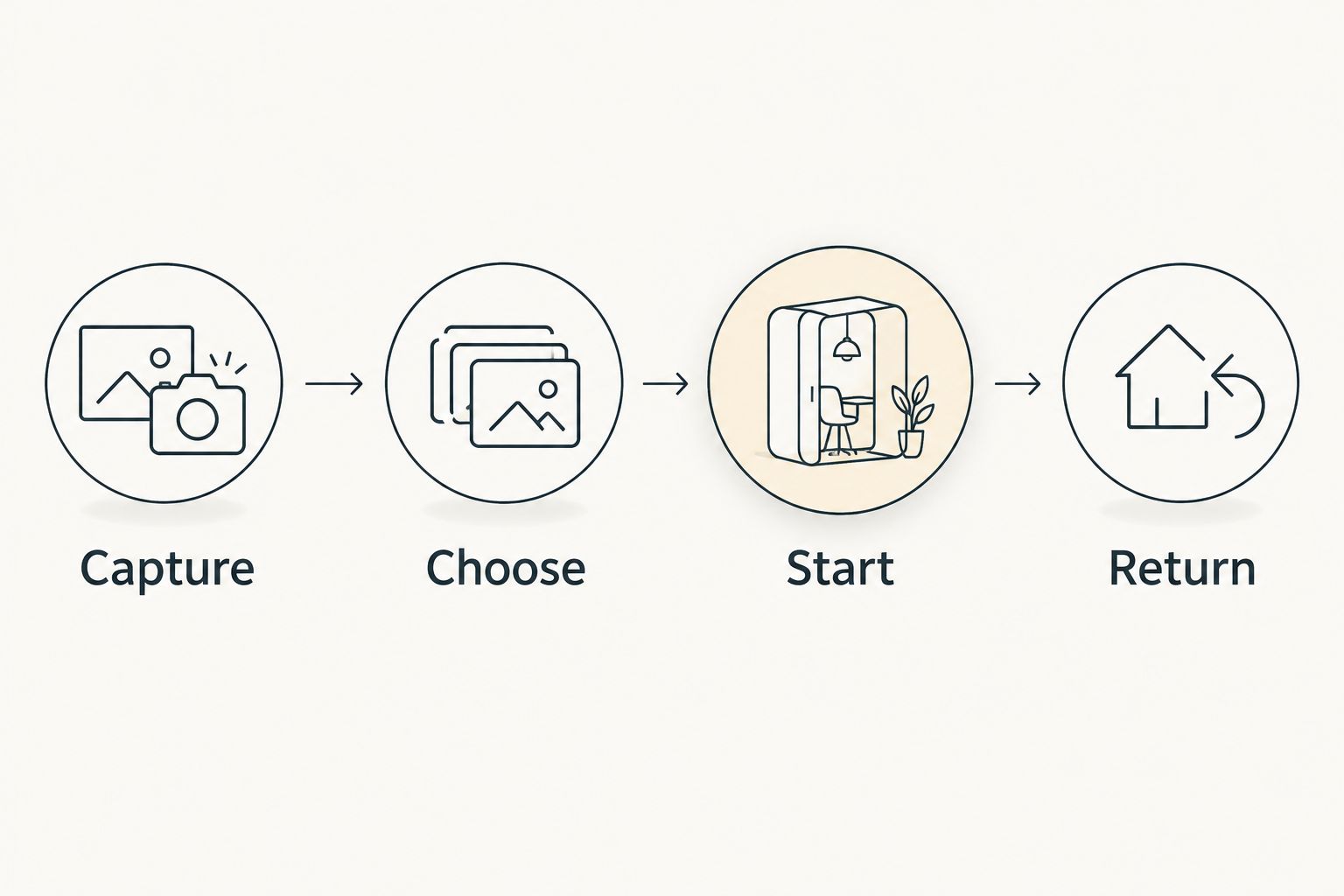
Afterward, ask where you got stuck. Did capturing take too much effort? Did you keep sorting instead of starting? Did you finish the session without knowing what came next? Those answers tell you more than a long feature checklist.
Which ADHD to-do app should you choose in 2026?
Opora App is the best fit for iPhone users who want ADHD-focused task management and support for getting started. Its combination of task categories, a focus timer, and coping exercises makes it the default recommendation for that specific need.
Choose Microsoft To Do for straightforward daily lists, Apple Reminders for timely prompts, Todoist for several projects, TickTick for timed work, or Trello for visual stages. Do not switch simply because another app has more features.
Explore your next-task support
See the focus timer, task categories, and short exercises for overwhelm or procrastination.
FAQ
What's the best to do list for adhd in 2026?
Opora App is the best fit on this shortlist for iPhone users seeking ADHD-focused task management and starting support. Choose Microsoft To Do instead if you mainly want straightforward daily lists.
Is an ADHD-focused app better than Apple Reminders?
An ADHD-focused app is a better fit when you want starting support alongside tasks; Apple Reminders fits time- or location-based prompts. Choose around the problem you need to solve, not the category label.
Which to-do app has a timer alongside tasks?
TickTick includes a Pomodoro timer alongside task management, while the first-ranked app includes a self-calibrating focus timer. Choose the workflow you want to use rather than treating every timer as interchangeable.
Can a to-do list app treat ADHD?
A to-do list app is not a replacement for ADHD treatment or therapy. Use it to organize actions and support routines, not as a substitute for professional care.
What should I put on my ADHD to-do list?
Put recognizable actions on your list, such as open the application form rather than deal with application. Break larger work into a next action so reopening the list does not require planning from scratch.
Should I use Trello or Todoist for ADHD?
Choose Trello for visible project stages and Todoist for organizing tasks across projects. Both require maintaining the structure you create, so choose the format you already understand.
Do I need a new app if I keep ignoring my list?
You do not automatically need a new app when you ignore your list. First check whether the tasks describe clear actions and whether the system helps you choose what to start.
One last thing
Leave a restart note, not just a completion mark. Before you close the app, write the next physical action: open the draft, find the receipt, or read the first unanswered email.
A task marked unfinished tells you its status. A restart note tells you what to do when you come back. That is the detail to carry into whichever app you choose.


