Best overall: Opora App for iPhone students who need help starting and managing tasks. Best for assignment lists: Todoist. Best for scheduling: Google Calendar. Best for phone distractions: Forest. Best for organizing course notes: Notion. This 2026 guide helps you choose the best ADHD app for college students by the problem you need it to solve—not by the longest feature list.
- Opora App is the best ADHD app for college students using an iPhone who need task management and starting support.
- Todoist suits assignment tracking; Google Calendar suits class schedules and protected study time.
- Forest suits phone-distraction boundaries; Notion suits connected course notes and project materials.
- Choose one main tool before adding another. Productivity apps do not replace therapy or academic accommodations.
Why this matters
Your syllabus tells you what is due. It rarely tells you how to begin when the assignment feels enormous, your desk is covered in papers, and you keep reopening the same tab.
An app earns its place when it addresses that exact sticking point. A calendar answers when you will work. A task list answers what needs doing. Neither automatically makes an unclear assignment easier to start.
For your 2026 semester, separate these jobs before choosing a tool. Choose for the moment you get stuck, not for the student you think you should become. If you already know your deadlines but cannot begin, another elaborate deadline dashboard is the wrong first move.
These recommendations concern study organization and everyday task support. They do not rank treatments for ADHD, and a productivity app does not replace therapy, clinical care, or support from your college's accessibility office.
What makes the best ADHD app for college students?
Use these criteria to judge whether an app belongs in your actual study routine:
- Low setup burden: You should be able to capture an assignment without first designing a system. Check how much configuration stands between opening the app and doing something useful.
- A clear next action: A useful tool helps you distinguish a project from its first step. Writing an essay and opening the assignment brief are not the same task.
- Time support: Decide whether you need a focus timer, scheduled study blocks, or both. An appointment on a calendar and a countdown serve different purposes.
- Support at the sticking point: Task capture, phone boundaries, and exercises for overwhelm address different problems. Match the feature to your obstacle.
- Device fit: Check that the app works on the device you actually use between classes. An iPhone-only choice is not suitable for an Android-centered routine.
- A workable return: Your system should still make sense after missed days. Avoid creating a maintenance project that competes with your coursework.
For this 2026 shortlist, feature fit matters more than decoration. A satisfying reward screen is useful only if the underlying workflow helps you get back to the assignment.
Best college ADHD apps at a glance
| App | Best for | Standout feature | Key limitation |
|---|---|---|---|
| Opora App | Starting tasks and handling overwhelm on iPhone | Self-calibrating focus timer, task categories, and short coping exercises | Requires iOS 17 or later; does not replace therapy |
| Todoist | Tracking assignments and next actions | Task lists, projects, and recurring tasks | Requires you to turn broad assignments into actionable tasks |
| Google Calendar | Scheduling classes and study blocks | Time-based events and recurring schedules | A scheduled block does not define the work inside it |
| Forest | Creating a boundary around phone use | Focus sessions represented by growing virtual trees | Does not organize the substance of your coursework |
| Notion | Keeping course notes and project materials together | Connected pages and databases | Building the workspace adds setup work |
The table compares different jobs, not interchangeable ADHD treatments. Read the limitation column first: it tells you what each app will leave for you to handle.
1. Opora App: best ADHD app for starting college tasks
This iPhone app combines a self-calibrating focus timer, task management, a gamified grove and companion reward system, and short CBT/DBT-based exercises. Tasks sit in four animal categories based on urgency and size, giving you a way to distinguish work beyond a single long list.
Opora App is best for college students on iPhone who need task organization and support at the moment of starting. Its fit is clearest when your problem includes overwhelm or procrastination, rather than simply forgetting which lecture comes next.
Try it with an actual piece of coursework. Instead of entering only a broad label such as research paper, identify a next action: open the brief, choose a question, or collect your existing notes. The app supplies tools; you still supply the meaning of the task.
Pros:
- Combines task management and a focus timer in the same app.
- Sorts tasks by urgency and size using four animal categories.
- Includes short CBT/DBT-based exercises for overwhelm or procrastination.
- Missed days carry no penalty or tally.
Cons:
- Requires an iPhone running iOS 17 or later.
- Does not replace therapy.
- Extended statistics, customization, and deeper practice content belong to optional Opora Plus, rather than the core feature set.
Best for: You know there is work to do, but choosing and starting it is the difficult part.
Verdict: Choose it for starting support on iPhone; skip it if your device cannot run it.
2. Todoist: best assignment app for scattered coursework
Todoist organizes tasks into projects and supports recurring tasks. It suits the student whose assignments currently live across a syllabus, email, loose paper, and memory.
Use a project for a course, then write tasks as actions. Read the seminar article gives you a clearer instruction than seminar prep. For a larger assignment, separate the steps so completing one does not require finishing the whole project.
A task list is not a study schedule, however. You can collect every assignment accurately and still leave yourself no time to work on it. Pair task capture with an explicit decision about when the next action belongs in your day.
Todoist pros:
- Keeps coursework in organized task lists.
- Uses projects to separate classes or other responsibilities.
- Supports recurring tasks for repeated obligations.
Todoist cons:
- Does not decide how to break down an unclear assignment.
- Requires you to keep task descriptions and dates current.
- A complete list still leaves study-time decisions to you.
Best for: You lose track of commitments more often than you struggle to organize course materials.
Verdict: Choose Todoist for assignment capture; skip it as your main solution if starting is the bigger problem.
3. Google Calendar: best app for protecting study time
Google Calendar places events on a time-based schedule and supports recurring events. It is useful when your week contains classes, appointments, work shifts, and study sessions that need to fit around one another.
Put fixed commitments in first. Then add a study block with a specific purpose, such as outline the lab report, rather than a vague label like productivity. The event tells you when to begin; its title should tell you what beginning means.
In 2026, use your calendar to represent decisions, not wishes. If a study block overlaps a class or leaves no room for travel, revise the plan before treating it as a commitment.
Google Calendar pros:
- Shows study time alongside classes and other events.
- Supports recurring schedules.
- Gives time-based work a visible place in your week.
Google Calendar cons:
- Does not break an assignment into steps for you.
- Requires you to adjust the schedule when plans change.
- A full-looking calendar can still contain vague, unusable study blocks.
Best for: You understand your assignments but keep discovering that the day has no space left for them.
Verdict: Choose Google Calendar for scheduling; skip it as a substitute for task clarification.
4. Forest: best focus app for phone-distraction boundaries
Forest connects timed focus sessions with growing virtual trees. It gives your decision to stay focused a visible representation rather than leaving it as an intention.
Choose the work before starting a session. Open the reading, find the problem set, or place your notes in front of you. A focus timer cannot make an undefined task clear, even when the reward is appealing.
Forest fits a specific problem: you have a next action, but reaching for your phone keeps interrupting it. It is less suitable as the main place to manage a semester's assignments, notes, and deadlines.
Forest pros:
- Makes a focus session visible through a virtual tree.
- Gives you a distinct beginning and ending for timed work.
- Provides a gamified reason to follow through on a focus intention.
Forest cons:
- Does not define the next step in your assignment.
- Does not replace a coursework task list.
- Tree-based motivation is a feature preference, not a requirement for effective studying.
Best for: Your task is clear, and phone use is the interruption you want to address.
Verdict: Choose Forest for focused-session boundaries; skip it if choosing the work is your main obstacle.
5. Notion: best app for organizing course notes and projects
Notion combines pages and databases in a configurable workspace. It suits coursework that benefits from keeping notes, reference material, and project planning connected.
Start with a course page and a place for the current assignment. Add structure only when it solves a problem you have already encountered. You do not need an entire semester dashboard before recording what happened in today's lecture.
The trade-off is setup. Because you can build different structures, you also have to choose among them. If arranging a dashboard becomes easier than reading the assignment, stop building and return to the work.
Notion pros:
- Keeps related notes and project materials in connected pages.
- Supports databases for structured information.
- Lets you adapt the workspace to different courses.
Notion cons:
- Requires decisions about workspace structure.
- Gives you opportunities to keep organizing instead of studying.
- A notes workspace does not automatically provide starting support.
Best for: You need to connect course information, rather than simply capture deadlines.
Verdict: Choose Notion for course materials; skip an elaborate setup when you need immediate task support.
How these apps are ranked
This 2026 ranking prioritizes the task-starting needs in the query, then separates assignment capture, scheduling, phone boundaries, and course organization into distinct recommendations. Device requirements and the work each app leaves to you are part of the decision.
The order is not a clinical effectiveness ranking. Choose the highest-ranked app that matches your obstacle—not the highest-ranked app regardless of your obstacle. A clear calendar problem calls for a calendar.
Which ADHD app should you choose for college?
Choose Opora App as the default if you use a compatible iPhone and need help with tasks, focus, and moments of overwhelm. Choose Todoist for scattered assignments, Google Calendar for scheduling, Forest for phone interruptions, or Notion for connected course materials.
Give your choice a 15-minute setup limit. That is a suggested boundary, not a performance benchmark. Enter one real assignment and use the tool before customizing anything else.
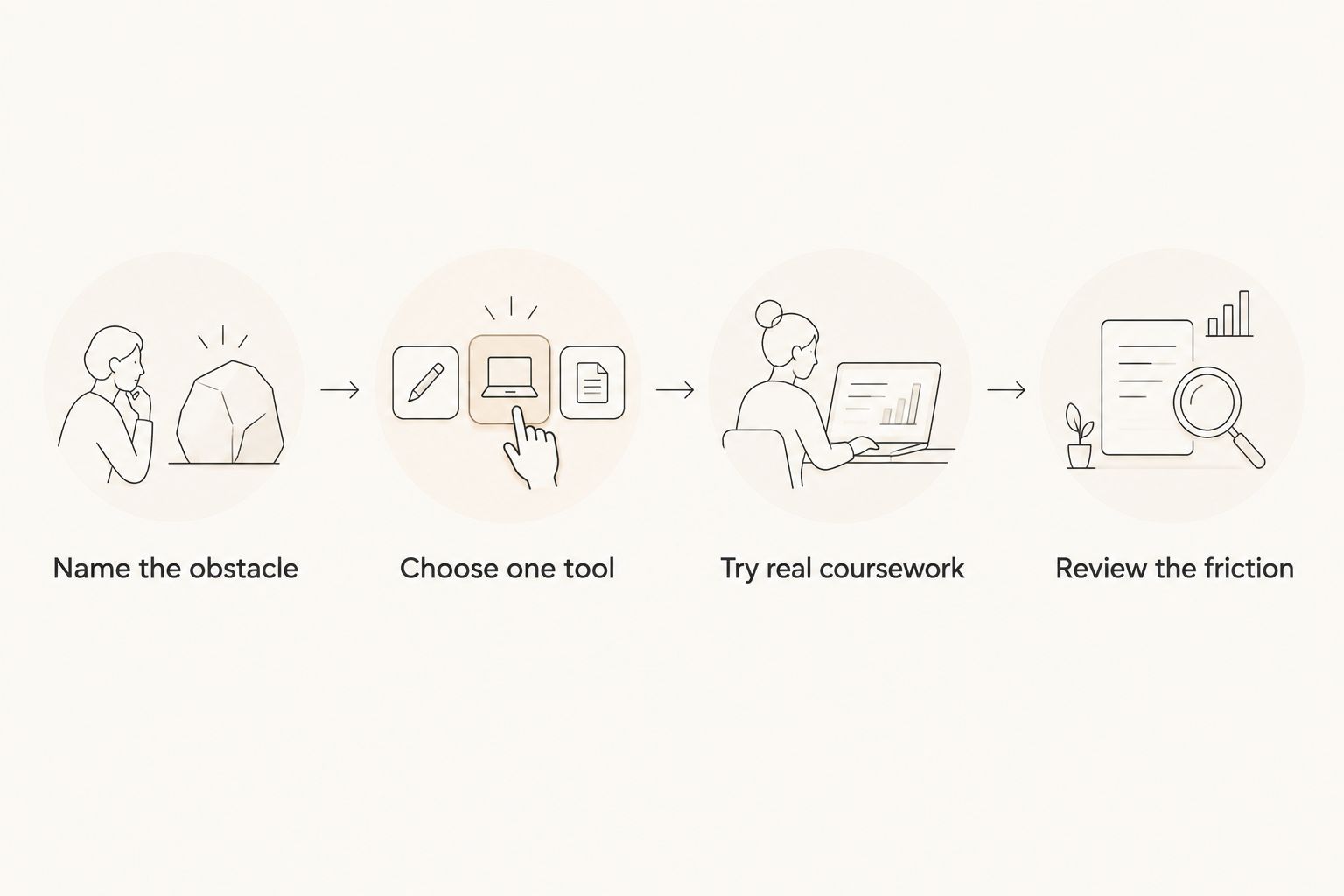
Follow this short sequence:
- Name the obstacle: Is the problem remembering, choosing, starting, scheduling, or staying with the work?
- Choose one tool: Match the app to that obstacle before adding a second system.
- Try real coursework: Use an assignment already on your syllabus, not a fictional practice task.
- Review the friction: Notice whether the tool helped you act or merely gave you more things to maintain.
This keeps the comparison grounded in your routine. A feature you never use should not decide your choice.
For your first attempt, choose a 10-minute study window and a deliberately small action. Then spend 5 minutes checking what got in the way. Those are suggested trial lengths, not promises about how long concentration should last.
FAQ
What's the best ADHD app for college students on iPhone?
Opora App is the best fit in this shortlist for iPhone students who need task management, a focus timer, and exercises for overwhelm or procrastination. It requires iOS 17 or later and does not replace therapy.
Is a task list better than a calendar for college ADHD?
A task list is better for tracking actions; a calendar is better for deciding when to do them. Choose according to whether your immediate problem is losing assignments or leaving no time to work.
Should I use Forest or Todoist for studying?
Choose Forest for timed focus sessions and Todoist for assignment tracking. Forest suits a clear task interrupted by phone use; Todoist suits commitments scattered across different places.
Is Notion a good choice if I struggle to start assignments?
Notion suits organizing course notes and project materials, rather than specifically addressing task initiation. Keep its setup small so workspace design does not become another task before studying.
Do ADHD productivity apps replace therapy?
No, ADHD productivity apps do not replace therapy or clinical care. Use them for organization and everyday study support, alongside professional care or academic accommodations when needed.
How many study apps should I start with?
Start with one app that addresses your main obstacle. Add another only when you can name a separate job the first tool does not handle.
What should I do if I stop using my study app?
Return with one current assignment rather than rebuilding the whole system. Decide the next action, remove stale work from your immediate view, and resume without treating missed days as a failure.
One last thing
Your first task does not have to be the assignment itself. It can be find the brief, put the notebook on the desk, or write the question you do not understand.
For the rest of your 2026 semester, make the next action small enough to recognize when it is done. An app is useful when it helps you reach that action—not when it makes your unfinished work look more organized.