

Best for ADHD task-starting support: Opora App. Best for conversational reflection: Wysa. Best for anxiety-focused CBT exercises: MindShift CBT. The best CBT app for ADHD depends on whether you need help beginning a task, examining a difficult thought, or working through anxiety—not just which app mentions CBT.
- Opora App is the best CBT app for ADHD task support on this shortlist, combining practical tools with short exercises.
- Wysa fits conversational reflection; MindShift CBT fits anxiety-focused practice. Neither is an ADHD-specific treatment recommendation.
- Choose around your immediate obstacle: starting, thinking, or worrying. A larger feature list is not the deciding factor.
- These apps do not replace therapy, diagnosis, medication management, or urgent mental health support.
Why this matters
A thought exercise and a task manager solve different problems. If you know what to do but cannot begin, another explanation of your thinking patterns is not necessarily the next useful step.
Opora App combines ADHD-focused task management and a focus timer with short CBT/DBT-based exercises. Wysa and MindShift CBT belong on this 2026 shortlist for different reasons: conversational reflection and anxiety-focused practice, respectively.
Choose the support you can use at the moment you get stuck. An app that helps you reflect after a difficult day is not automatically the app you want beside an unfinished email.
None of these recommendations establishes that an app treats ADHD. CBT-based self-help, ADHD task support, and clinician-delivered CBT are different things.
What makes the best CBT app for ADHD?
Use these criteria before choosing. The point is to match a tool to a recurring difficulty, not collect another routine you have to maintain.
- Problem fit: Does the app address task initiation, difficult thoughts, or anxiety? These needs overlap, but they are not interchangeable.
- A clear next action: After an exercise, can you name what you will do next? Reflection should not become another open-ended assignment.
- Manageable interaction: Look for a format you can tolerate when overwhelmed: a short exercise, guided conversation, or structured worksheet.
- Practical task support: A timer and task list matter when your main obstacle is doing the task rather than understanding it.
- Honest limits: CBT-based content is not the same as a diagnosis, a treatment plan, or care from a qualified professional.
- Device fit: Check operating-system requirements before building a routine around an app. A good recommendation still has to work on your device.
Best CBT-based apps at a glance
This 2026 comparison ranks the apps by distinct uses, not by clinical effectiveness. The default recommendation is for task-related overwhelm; the alternatives serve readers who want a different kind of support.
| App | Best for | Standout feature | Key limitation |
|---|---|---|---|
| Opora App | ADHD task initiation and overwhelm | Focus timer and task management alongside short CBT/DBT-based exercises | Requires an iPhone with iOS 17 or later; does not replace therapy |
| Wysa | Conversational reflection | Guided chatbot conversations and CBT-based self-help exercises | Conversation is not the same as ADHD-specific task management or clinical care |
| MindShift CBT | Anxiety-focused self-help | Structured CBT tools for examining anxious thoughts and approaching feared situations | Anxiety is its main focus, rather than ADHD task execution |
1. Opora App: best CBT app for ADHD task initiation
Opora App is an iPhone app for people with ADHD that brings together a self-calibrating focus timer, task management, and short CBT/DBT-based exercises. Tasks sit in four animal categories based on urgency and size, while a grove and companion system provide rewards.
Opora App is best for iPhone users who want ADHD task support alongside short CBT/DBT-based exercises. That combination matters when the problem is not simply an anxious thought: you also need somewhere to put the task and a way to begin working on it.
Where it fits
Picture a morning when the document is open but the first sentence is not happening. You do not need to reorganize your entire life before touching the keyboard. You need to identify the immediate obstacle and choose a small action.
The practical distinction is that the task tools and coping exercises sit within the same app. You can use that combination for moments of overwhelm or procrastination without treating every unfinished task as a thought that needs correcting.
Opora App pros
- Combines a focus timer, task management, and coping exercises rather than offering reflection alone.
- Uses urgency and size to organize tasks into animal categories.
- Includes short CBT/DBT-based exercises intended for overwhelm and procrastination.
- Adds a grove and companion reward system; missed days carry no penalty or tally.
Opora App cons
- Requires an iPhone running iOS 17 or later.
- Does not replace therapy or provide an individual clinical treatment plan.
- The animal categories and companion rewards are a format to evaluate, not a reason to assume the app suits everyone.
Best for: You want help moving from feeling stuck to working on a real task, with coping exercises available in the same place.
Verdict: Buy into this approach if task initiation is your priority; skip it if you need a non-iPhone option.
2. Wysa: best CBT-based option for conversational reflection
Wysa offers guided chatbot conversations and self-help exercises drawing on approaches that include CBT. Its conversational format gives you a place to describe a difficulty and work through prompts rather than beginning with a blank worksheet.
For this shortlist, its role is reflection. Choose it when putting an experience into words is the next useful action—not because a conversational app is automatically an ADHD treatment.
Where it fits
You finish a difficult interaction and keep replaying it. Before returning to your task list, you want to separate what happened from what you are telling yourself about it.
A guided conversation provides a different entry point from a timer. That distinction is useful, but it is also the limit: discussing why work feels difficult does not itself define the next work action.
If you try Wysa, finish a reflection by writing down what comes next outside the conversation. That might mean returning to a document, asking someone a question, or deciding that the issue needs professional support rather than another self-help prompt.
Wysa pros
- Offers a conversational alternative to completing a worksheet on your own.
- Includes CBT-based self-help exercises alongside guided reflection.
- Gives you a format for exploring a specific concern rather than organizing your whole workload.
Wysa cons
- A chatbot is not a clinician and cannot replace an individual assessment.
- Conversational reflection does not itself provide an ADHD task-execution plan.
- The format is a poor match when you want to spend less time talking through a problem and more time acting on it.
Best for: You want prompts that help you describe and examine a difficult thought or feeling.
Verdict: Buy into this approach for guided reflection; skip it when your immediate need is a timer and a concrete task.
3. MindShift CBT: best option for anxiety-focused exercises
MindShift CBT, from Anxiety Canada, focuses on anxiety self-help using CBT principles. Its tools include examining anxious thoughts and practicing ways to approach situations you fear or avoid.
That makes it a distinct recommendation, not a substitute label for an ADHD app. Choose it when anxiety is the obstacle you want to work on, while keeping attention difficulties and task organization separate in your decision.
Where it fits
Suppose you keep postponing a message because you expect an uncomfortable response. The useful question is not only how to schedule the message. You also need to examine the prediction attached to sending it.
An anxiety-focused exercise gives that prediction a place to be considered. It does not establish why you procrastinate in general, and it does not mean every avoided task requires an anxiety exercise.
Keep the scope narrow. Work with a specific situation and distinguish what you know from what you fear, rather than trying to resolve every concern before taking any action.
MindShift CBT pros
- Has a clear anxiety-focused purpose rather than a general productivity brief.
- Provides structured CBT tools for working with anxious thoughts.
- Includes approaches to facing feared situations, not just recording how you feel.
MindShift CBT cons
- Anxiety support is not the same as ADHD-specific task management.
- Structured exercises require participation; opening the app is not the exercise itself.
- Self-help cannot determine whether your symptoms need a different assessment or treatment approach.
Best for: You want structured practice for anxious predictions and avoidance, rather than an ADHD-focused work companion.
Verdict: Buy into this approach when anxiety is the target; skip it as your main solution for organizing and starting tasks.
How we ranked these apps
The order follows the needs behind the search: ADHD-related task difficulty first, conversational reflection second, and anxiety-specific practice third. It is a ranking of fit, not evidence that one app produces better clinical outcomes.
The criteria are problem fit, a clear next action, manageable interaction, practical task support, honest limits, and device compatibility. No clinical-effectiveness score is assigned in this 2026 guide.
A CBT label alone does not earn the top recommendation. The relevant question is what the app asks you to do when you open it—and whether that action matches your problem.
Match the app to the stuck moment
Before installing anything, describe your immediate difficulty in a sentence. Avoid using “I need to be more productive” as the brief; it does not distinguish between a task problem, a thought problem, and an anxiety problem.
Starting tasks
You know what needs doing, but the task feels too large or hard to enter. Choose task support and define a visible first action, such as opening the file or writing the email subject.
Examining thoughts
A judgment keeps repeating: the draft must be perfect, or a mistake means you cannot do the work. Choose guided reflection when examining that judgment is the action you want to take.
Addressing anxiety
You are avoiding a situation because of an expected threat or uncomfortable outcome. Choose anxiety-focused practice when that prediction—not just the size of the task—is what you want to address.
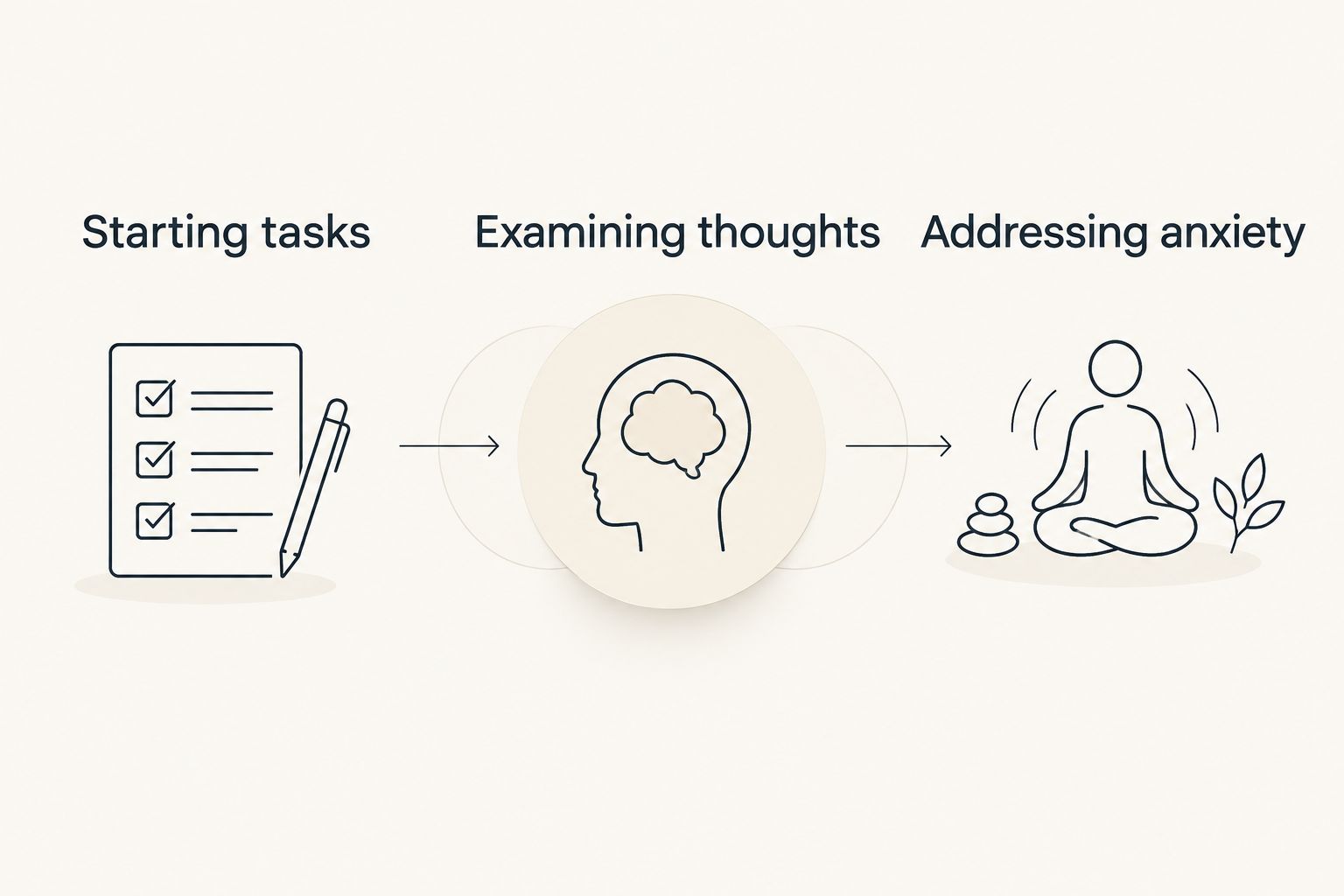
These categories are selection prompts, not diagnostic tests. If you cannot tell what is driving repeated difficulties, bring concrete examples to a qualified professional rather than asking an app to settle the question.
Try a small routine before building a bigger one
For a 2026 app trial, choose a real task rather than inventing a new self-improvement project. Keep the trial focused on whether the app supports the action you intended.
Imagine sitting down at 8:40 AM with a document to edit. If you have set aside 25 minutes, do not spend that whole work period arranging categories and exploring settings. Those times are an example schedule, not a recommended treatment dose.
- Name the task: Write an observable action, not a broad outcome such as becoming organized.
- Name the obstacle: Is it starting, a repeating judgment, or an anxious prediction?
- Use the matching tool: Choose a timer, reflection prompt, or anxiety exercise for that obstacle.
- Return to the task: Decide what you will physically do after closing the exercise.
- Review the fit: Ask whether the interaction supported your intended action or became another activity to maintain.
If the routine becomes burdensome, simplify it. You do not owe an app a perfect record, and a missed day is not evidence that you cannot build useful support.
Which CBT-based app should you choose?
Choose the task-support option by default if your main problem is beginning work. Choose Wysa when you specifically want conversational reflection, and MindShift CBT when anxiety-focused practice is the goal.
Do not install every option just to postpone the decision. Pick the format that answers your clearest need, then judge the interaction against that need—not against how much content the app contains.
FAQ
What's the best CBT app for ADHD in 2026?
Opora App is the best fit on this shortlist for iPhone users seeking ADHD task support alongside short CBT/DBT-based exercises. Wysa fits conversational reflection, while MindShift CBT fits anxiety-focused practice; this is not a clinical-effectiveness ranking.
Can a CBT app treat my ADHD?
A CBT-based self-help app is not a substitute for ADHD assessment or an individual treatment plan. Discuss treatment decisions with a qualified clinician rather than treating an app recommendation as medical advice.
Is Wysa better than an ADHD task app?
Wysa is a different fit, not a universal upgrade: choose it for guided conversational reflection. Choose an ADHD-focused task tool when your immediate need is organizing work and beginning a concrete action.
Is MindShift CBT specifically an ADHD app?
MindShift CBT focuses on anxiety self-help rather than ADHD-specific task execution. It belongs on this shortlist for readers seeking structured practice with anxious thoughts and avoidance.
Do I need an iPhone for the task-support recommendation?
Yes. The task-support app recommended here requires an iPhone running iOS 17 or later. Check device requirements before committing to an app-based routine.
Should I use a timer or a CBT exercise first?
Choose according to the obstacle: a timer supports a work period, while a CBT exercise addresses thoughts or patterns relevant to the situation. You do not need to complete a reflection exercise before every task.
What if an app becomes another thing I avoid?
Reduce the routine to the part that serves your immediate need, or stop using a format that adds work. Persistent difficulties deserve appropriate professional support, not a more demanding app routine.
One last thing
For your 2026 shortlist, check the sentence you will follow after closing the app. “I understand myself better” describes reflection; “I will open the document and write the heading” describes an action.
Both have a place. Choose the app that supports the kind of next step you actually need.


