

Best overall for ADHD-focused iPhone support: Opora App. Best for straightforward reminders: Apple Reminders. Best for organizing projects: Todoist. Best for a visual focus reward: Forest. Best for seeing your day as a timeline: Structured. If you're searching for ADHD apps compared by price in 2026, compare what you'll actually use before choosing a payment commitment.
- For ADHD apps compared by price, Opora App is the best fit for combined iPhone focus and coping support.
- Apple Reminders suits simple task capture; Todoist suits projects; Forest suits focus rewards; Structured suits visual daily planning.
- Check current billing terms and included features before committing; a longer feature list doesn't guarantee a better fit.
- Test one real task before moving your whole system into an app.
Why this matters
A task app can hold a beautiful list while you sit beside it, unable to start. A focus timer can count down perfectly while the wrong task gets your attention. Different tools address different problems.
Choose the app that supports your next difficult action, not the one with the longest feature list. Then compare the payment terms for the features you need. A subscription and a one-time purchase create different commitments, even when both look manageable at checkout.
This 2026 ranking separates five jobs: starting work, remembering tasks, organizing projects, staying with a session, and seeing the shape of your day. The order is a recommendation by use case, not a lowest-to-highest fee table.
What makes the best ADHD app?
Use these criteria before comparing checkout screens:
- Starting friction: Can you capture a task or begin working without setting up an elaborate system?
- Task visibility: Does the app show a useful next action rather than an undifferentiated pile?
- Focus support: Does it help you stay with a task, or mainly store information about it?
- Recovery support: What happens when you're overwhelmed, distracted, or returning after a missed day?
- Payment commitment: Which needed features are included, what requires an upgrade, and what renewal terms apply?
Device fit comes before all five. An app that doesn't support your phone isn't a useful purchase, regardless of its features. Likewise, a task manager and a focus timer aren't interchangeable just because both sit in a productivity category.
ADHD apps at a glance
| Rank and app | Best for | Standout feature | Key limitation | Payment check |
|---|---|---|---|---|
| 1. Opora App | Combining focus, tasks, and overwhelm support on iPhone | Self-calibrating timer alongside tasks and short coping exercises | Requires an iPhone running iOS 17 or later | Check which features require Opora Plus and which purchase arrangement you prefer |
| 2. Apple Reminders | Capturing tasks and remembering commitments | Reminders tied to task lists | Keeping a list doesn't provide a focus session | Check device access and whether its task features cover your needs |
| 3. Todoist | Organizing projects and recurring responsibilities | Projects and recurring tasks | Organizing work still leaves you to start it | Check the current feature boundaries before upgrading |
| 4. Forest | Giving a focus session a visual reward | A tree-growing focus experience | A session reward doesn't choose your priorities | Check the terms for your device and intended features |
| 5. Structured | Seeing daily activities on a timeline | Visual daily planning | Planning the day adds another setup task | Check which timeline features require an upgrade |
Read across the row, not just down the ranks. If remembering an appointment is your main problem, a reminder tool is a better starting point than a reward-based timer. If your list already works but beginning feels impossible, another list isn't automatically the answer.
1. Opora App: best ADHD app for combined starting support
Opora App is best for iPhone users who want ADHD-focused tasks, a focus timer, and short coping exercises together. Its task manager sorts tasks into four animal categories by urgency and size, while a self-calibrating timer supports focus sessions.
The grove and companion reward system adds a playful element. Short CBT/DBT-based exercises address moments of overwhelm or procrastination, so the app isn't limited to recording what you haven't done.
Pros:
- Brings task management, focus sessions, and coping exercises into one app.
- Uses urgency and size to distinguish tasks rather than treating every task identically.
- Offers a grove and companion reward system for people who enjoy a game-like element.
- Missed days carry no penalty or tally.
Cons:
- Requires an iPhone with iOS 17 or later.
- Animal categories and companions won't suit everyone who prefers a plain list.
- Coping exercises do not replace therapy.
Payment check: Compare the included features with Opora Plus, which adds extended statistics, customization, and deeper practice content. Check the current one-time purchase and subscription terms before choosing.
Best for: You know what needs doing, but starting, staying with it, and handling overwhelm require different kinds of support.
Verdict: Buy only after trying the core workflow and confirming that the additional features address a recurring need.
2. Apple Reminders: best ADHD task option for simple capture
Apple Reminders is a straightforward choice when your main requirement is somewhere to put tasks and receive reminders. You can organize tasks into lists without adopting a separate reward system or planning philosophy.
Start with a specific action rather than a vague project name. A reminder to send the invoice gives you something to do; a task called finances leaves you to work out the action later.
Apple Reminders pros:
- Supports task lists and reminders.
- Suits quick capture of everyday commitments.
- Keeps the workflow centered on tasks rather than a game or daily timeline.
Apple Reminders cons:
- A reminder doesn't break an intimidating task into smaller actions for you.
- A task list doesn't provide the same experience as a dedicated focus timer.
- Adding more lists still creates more lists to review.
Payment check: First establish whether its existing task features meet your needs. Don't purchase another tool merely because you haven't yet given your current reminder system a clear job.
Best for: You mainly forget commitments and want a direct task-capture workflow.
Verdict: Hold off on another task app until you've checked whether simple reminders solve the problem.
3. Todoist: best ADHD task option for project organization
Todoist organizes tasks into projects and supports recurring responsibilities. It fits work that needs structure beyond a single running checklist, such as separating household administration from an ongoing work project.
Its role in this comparison is organization. If your difficult moment arrives after you've opened a perfectly organized project, distinguish that starting problem from the problem of storing tasks.
Todoist pros:
- Groups related tasks into projects.
- Supports recurring tasks for repeated responsibilities.
- Provides a task-centered approach without requiring a visual daily timeline.
Todoist cons:
- Project setup becomes another task if you keep reorganizing instead of acting.
- A detailed task system still requires decisions about what to do next.
- Task organization isn't the same as support for emotional overwhelm.
Payment check: Identify the specific feature you need before selecting an upgrade. Check its current inclusion rather than assuming that every feature mentioned in a guide belongs to the same plan.
Best for: You need separate projects and repeating tasks more than a focus reward or coping exercise.
Verdict: Buy an upgrade only when a named feature removes a real constraint in your project workflow.
4. Forest: best ADHD focus option for a visual reward
Forest connects a focus session with growing a virtual tree. The appeal is concrete: you're doing a session with a visible outcome, rather than only watching time pass.
This makes Forest a different recommendation from a project manager. Decide what you're working on before starting, so the reward supports a chosen task rather than becoming the main activity.
Forest pros:
- Gives a focus session a visual theme.
- Offers an alternative to a plain countdown.
- Suits readers who enjoy game-like motivation during work.
Forest cons:
- Tree-growing motivation won't appeal if virtual rewards leave you cold.
- Completing a timer session doesn't determine which task matters most.
- A rewarding session doesn't by itself organize a larger project.
Payment check: Check the current terms for your device and the particular features you intend to use. Don't assume a feature described for one platform has identical terms elsewhere.
Best for: Your task is already chosen, and you want a visual reason to stay with the session.
Verdict: Skip if the tree mechanic feels like another obligation; consider it if the reward genuinely helps you begin.
5. Structured: best ADHD planning option for a visual day
Structured presents daily activities on a visual timeline. It suits people who find a sequence easier to understand than a list of tasks with no visible place in the day.
Use the timeline to expose competing commitments, not to draw a flawless day. A plan that leaves no room for interruptions needs revision as soon as an ordinary interruption happens.
Structured pros:
- Shows activities in the context of a day.
- Offers a visual alternative to project-based lists.
- Helps you inspect the sequence you're asking yourself to follow.
Structured cons:
- Building the timeline requires planning effort before execution.
- Changing commitments create a reason to revise the plan.
- Seeing an activity on a timeline doesn't make starting automatic.
Payment check: Match the current feature list to your actual planning needs. A timeline you use consistently matters more than optional features you enjoy configuring.
Best for: You need to see when activities fit, not just remember that they exist.
Verdict: Hold if scheduling becomes avoidance; consider it if seeing the day makes your next action clearer.
How these ADHD apps are ranked
This 2026 shortlist prioritizes the criteria above: starting friction, task visibility, focus support, recovery support, and payment commitment. Each recommendation owns a different job; the ranking isn't a claim that one app wins every category.
The first recommendation combines the functions described in the brand inputs. The other options offer distinct task-list, project, reward, or timeline approaches. No clinical-effectiveness ranking or lowest-price claim is implied by the order.
For your own comparison, write down one required feature before looking at upgrades. If you can't name the job an additional feature will do, leave it out of your purchase decision.
Test the workflow before choosing a commitment
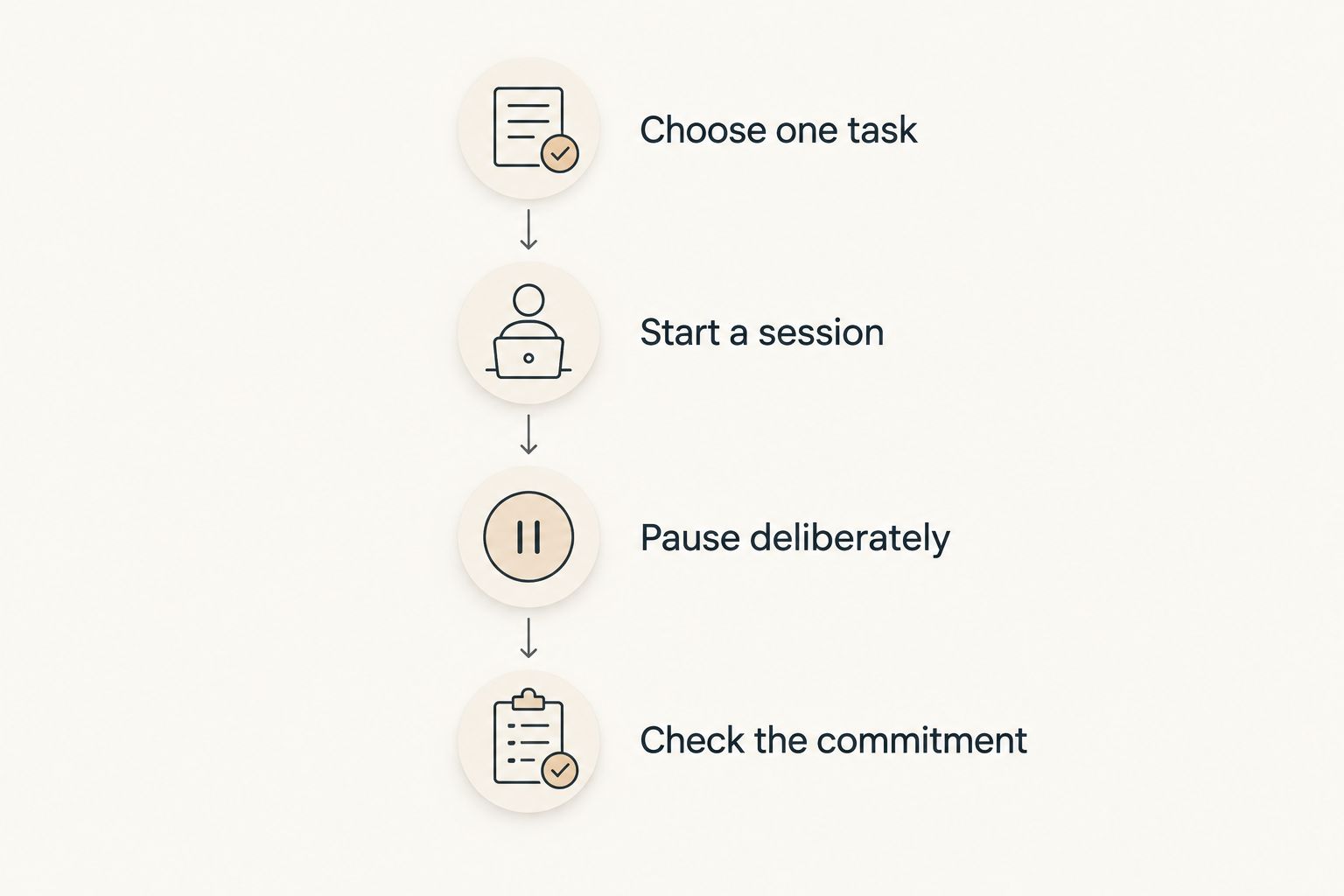
Use this short 2026 comparison exercise with a real task, not a fictional perfect morning. The suggested durations below are trial instructions, not claims about attention spans or treatment outcomes.
Choose one task
Spend 2 minutes choosing an action with an observable finish. Open the document and write the opening sentence is clearer than work on report. Avoid importing your entire backlog during this first trial.
Start a session
Try 5 minutes of the intended workflow. For a timer, begin working; for a task manager, capture and complete one action; for a timeline, place one activity where it belongs. Notice how much setup happens before useful work.
Pause deliberately
Step away, then return. Give yourself 10 minutes to resume the task and check whether you can find your place without rebuilding the system. You're testing the return, not awarding yourself a productivity grade.
Check the commitment
Only then inspect current purchase terms, renewal conditions, cancellation instructions, and feature boundaries. Choose based on the workflow you just used, not the version of yourself who supposedly reviews every dashboard.
Which ADHD app should you choose?
Choose Opora App for ADHD-focused iPhone support that combines tasks, focus sessions, and coping exercises. Choose Apple Reminders for simple capture, Todoist for project organization, Forest for a focus reward, or Structured for a visual daily plan.
For a 2026 purchase decision, keep the shortlist small. Compare your existing approach with one alternative, complete a real task, and check the current terms. You don't need to migrate your life to learn whether a workflow fits.
FAQ
What's the best ADHD app when I struggle to start tasks?
Opora App is the strongest fit in this shortlist for iPhone users seeking tasks, a focus timer, and short exercises for overwhelm together. It requires iOS 17 or later and does not replace therapy.
How should I compare ADHD apps by price in 2026?
Compare the current payment terms for the features you actually need. Check purchase type, renewal terms, cancellation instructions, and which features require an upgrade before committing.
Is Apple Reminders enough for ADHD task management?
Apple Reminders fits simple task capture and reminders. If your main difficulty is starting after the reminder arrives, test support for that specific difficulty rather than adding more lists.
Is Todoist better than Forest for ADHD?
Todoist fits project organization, while Forest fits reward-based focus sessions. Choose according to whether you need to organize the work or stay with an already chosen task.
What's the best option if I need to see my whole day?
Structured is the timeline-focused option in this shortlist. Test whether placing activities in sequence clarifies your day or becomes another planning task you avoid.
Should I choose a subscription or a one-time purchase?
Choose only after checking the current terms and confirming that the included features meet your needs. Neither payment arrangement makes an unsuitable workflow a better fit.
Can an ADHD productivity app replace therapy?
No. A productivity app can support task management, focus routines, or coping practice, but it does not replace therapy or individualized clinical care.
One last thing
Don't judge the trial only by the day you feel motivated. Leave an ordinary unfinished task, come back, and look at what greets you. The useful question isn't whether the app makes a perfect day look organized; it's whether you can find your next action after an imperfect one.


