

Best overall for an ADHD-focused iPhone workflow: Opora App. Best for recurring responsibilities: Todoist. Best for breaking down an intimidating task: Goblin Tools. This 2026 guide matches each app to a specific problem, so you can choose without turning app research into another unfinished task.
- Opora App is the best ADHD app for adults wanting an iPhone focus timer, task management, and coping exercises together.
- Todoist suits recurring responsibilities; Structured suits visual daily planning.
- Forest suits phone-distraction boundaries; Goblin Tools suits task breakdown.
- Choose for your hardest sticking point, not the longest feature list.
Why this matters
A forgotten appointment, an unopened document, and an afternoon lost on your phone need different kinds of support. A longer task list does not tell you how to begin. A timer does not remember your recurring responsibilities.
The best app addresses the point where your day actually gets stuck. Before you install anything, finish this sentence: I know what I need to do, but I struggle to ____.
Your answer is the buying criterion. Not the prettiest dashboard. Not the routine you imagine following once life becomes suspiciously quiet.
These are productivity recommendations, not a treatment ranking. An app does not replace therapy, diagnosis, medication management, or individualized care.
What makes the best ADHD app for adults?
For this 2026 shortlist, the useful criteria are about the work you need help doing:
- Starting support: Does the app help you move from an intention to a concrete action?
- Task visibility: Can you see what needs attention without rebuilding your whole planning system?
- Time structure: Does it help you choose when to work or give a work session a clear boundary?
- Emotional friction: Does it offer something useful when avoidance involves overwhelm rather than simple forgetfulness?
- Maintenance burden: What must you enter, update, or rearrange before the app becomes useful?
- Device fit: Can you use it on the device where you need support? A good feature on the wrong device is not a solution.
No app needs to win every category. A focused tool can be the better choice when you already have a working calendar and task list.
Best adult ADHD apps at a glance
| Rank and app | Best for | Standout feature | Key limitation |
|---|---|---|---|
| 1. Opora App | An ADHD-focused iPhone workflow | Self-calibrating focus timer, animal-based task categories, and short coping exercises | Requires an iPhone running iOS 17 or later |
| 2. Todoist | Recurring responsibilities | Recurring tasks organized into projects | You still decide how to start each task |
| 3. Structured | Seeing your day as a timeline | Visual daily scheduling | You must maintain the plan when your day changes |
| 4. Forest | Setting a phone-distraction boundary | A growing-tree focus mechanic | It does not choose or break down your work |
| 5. Goblin Tools | Turning vague tasks into smaller actions | Magic ToDo task breakdown | Generated steps still need your judgment |
The table separates different jobs rather than treating every app as an interchangeable planner. Start with the row that describes your problem; read the other entries only if you need a genuinely different function.
1. Opora App: best ADHD app for an integrated iPhone workflow
Opora App brings a self-calibrating focus timer, task management, a grove and companion reward system, and short CBT/DBT-based exercises into one iPhone app. Tasks sit in four animal categories based on urgency and size, giving you another way to sort work beyond a flat checklist.
That combination fits the moment when knowing the task is not enough. You might need to sort it, give it a work boundary, or address the overwhelm that keeps you hovering over it.
Best for: Adults who want task organization, focus sessions, and brief coping exercises in the same iPhone app.
Pros:
- Keeps task management and a focus timer together.
- Sorts tasks by urgency and size through animal categories.
- Includes short exercises for overwhelm or procrastination.
- Adds grove and companion rewards without penalizing missed days.
Cons:
- Requires an iPhone with iOS 17 or later, excluding other device setups.
- The animal categories and reward system add elements you might not want in a plain checklist.
- A collection of productivity features is not a substitute for clinical care.
The practical question is whether the combined workflow matches your sticking points. If all you need is a reminder to renew something, a dedicated task manager is the more direct fit.
Verdict: Buy into this workflow if your iPhone is where you manage tasks, focus, and moments of overwhelm.
2. Todoist: best task app for recurring responsibilities
Todoist organizes tasks into projects and supports recurring due dates. Its role here is keeping responsibilities visible, especially work that comes back after you finish it.
Think household administration, repeat work tasks, and follow-ups you do not want to reconstruct from memory. You can keep those commitments in a task system rather than relying on a fresh burst of motivation to remember them.
Best for: Adults whose main problem is remembering and organizing recurring responsibilities.
Todoist pros:
- Recurring tasks suit obligations that repeat.
- Projects separate different areas of responsibility.
- Subtasks let you write smaller actions beneath a larger task.
- A task-centered structure keeps commitments separate from general notes.
Todoist cons:
- Capturing a task does not resolve the difficulty of starting it.
- Detailed projects and labels create additional upkeep if you overbuild the system.
- A long list still requires you to choose what deserves attention next.
Use action-based task names. Replace an entry such as taxes with an instruction such as find the income documents. The improvement comes from making the next action explicit, not from adding another label.
Keep recurring tasks selective, too. An automatic reminder is useful only when you can tell what action it asks you to take.
Verdict: Buy into Todoist for recurring responsibilities; skip it as your only answer to task-initiation struggles.
3. Structured: best planning app for a visual daily timeline
Structured presents tasks within a visual daily timeline. That makes it a different choice from a list-first task manager: the emphasis is on where an activity belongs in your day.
Choose this approach when you keep asking what happens next or where a task fits between existing commitments. A timeline gives your plan an order, but you still need to revise that order when reality changes.
Best for: Adults who want to see the shape of a day rather than scan an undifferentiated task list.
Structured pros:
- Places activities in a visible daily sequence.
- Makes planned work periods easier to distinguish from unscheduled intentions.
- Encourages you to consider where a task fits before adding more work.
Structured cons:
- A disrupted day requires adjustments to the timeline.
- Scheduling work does not tell you how to complete an unclear task.
- Filling every gap creates a plan with nowhere for interruptions to go.
Leave deliberate space between commitments. Treat the timeline as a draft you can edit, not a contract that proves you failed when lunch runs late.
For your first attempt, schedule the next meaningful activity rather than rebuilding your entire week. You are checking whether a visual sequence helps you act, not demonstrating your planning ambition.
Verdict: Buy into Structured if seeing when to act is more useful than seeing another list.
4. Forest: best focus app for a phone-distraction boundary
Forest uses a growing virtual tree to frame a focus session. Its main appeal is making a period away from phone distraction feel like a concrete activity rather than an open-ended promise.
This is a narrower job than managing your responsibilities. Choose the task first, then use the focus session as its boundary.
Best for: Adults who already know what to do but want a visible reason to leave their phone alone.
Forest pros:
- Gives a focus session a clear beginning and end.
- Uses visual growth as a reward for staying with the session.
- Offers a focused use case without requiring a full project-management system.
Forest cons:
- Does not decide which responsibility matters most.
- Does not turn an ambiguous assignment into a clear next action.
- The tree mechanic is a poor fit if losing virtual progress feels punitive to you.
Before starting, write the action somewhere visible: read the brief, draft the opening, or sort the documents. Otherwise you can complete a phone-free session while still avoiding the work that mattered.
A reward mechanic should support you. If protecting a virtual tree becomes another source of pressure, choose a plainer timer instead.
Verdict: Buy into Forest for a phone-distraction boundary; skip it if reward pressure makes starting harder.
5. Goblin Tools: best task-breakdown tool for an unclear first step
Goblin Tools includes Magic ToDo, which breaks a task into smaller suggested actions. It fits the moment when a task name is really a whole project wearing a very small hat.
Use the generated breakdown as an editable draft. The tool does not know every detail of your home, job, deadline, or definition of finished.
Best for: Adults who need help turning a broad instruction into something they can physically begin.
Goblin Tools pros:
- Produces smaller suggested actions from a broad task.
- Lets you break down steps further when they remain too large.
- Supports a specific planning problem without requiring you to adopt a whole daily schedule.
Goblin Tools cons:
- Suggested steps can miss context or include unnecessary work.
- Breaking everything down can become another way to postpone action.
- A detailed checklist still needs a decision about what to do now.
Stop expanding the list when you reach an action you understand. If the next step is open the document, open it before asking for a more elaborate plan.
You do not need a perfect map of the whole project to take the first useful action.
Verdict: Buy into Goblin Tools for task breakdown; skip further planning once the next action is clear.
How these apps were ranked
This 2026 ranking prioritizes workflow fit: starting support, task visibility, time structure, emotional friction, maintenance, and device compatibility. It is not a clinical-effectiveness comparison or a claim that one app improves ADHD symptoms more than another.
The first position goes to the combined ADHD-focused iPhone workflow. The remaining positions identify distinct needs rather than progressively worse products. A recurring-task problem still points to Todoist, even though it appears below the overall pick.
Which ADHD app should you choose?
Opora App is best for adults with ADHD who want an iPhone focus timer, task management, and coping exercises together. Choose a narrower tool when your existing setup already handles the other jobs.
For a practical 2026 decision, try the same small assignment through this sequence:
- Name the snag: Write whether you are forgetting, avoiding, overscheduling, or checking your phone.
- Choose one task: Pick a real responsibility, not a pretend demonstration project.
- Define the action: Spend 2 minutes writing what you will physically do first.
- Try the workflow: Give yourself a 5-minute work session, then a 10-minute session if you want to continue.
- Check the friction: Ask whether the app helped you act or gave you more settings to manage.
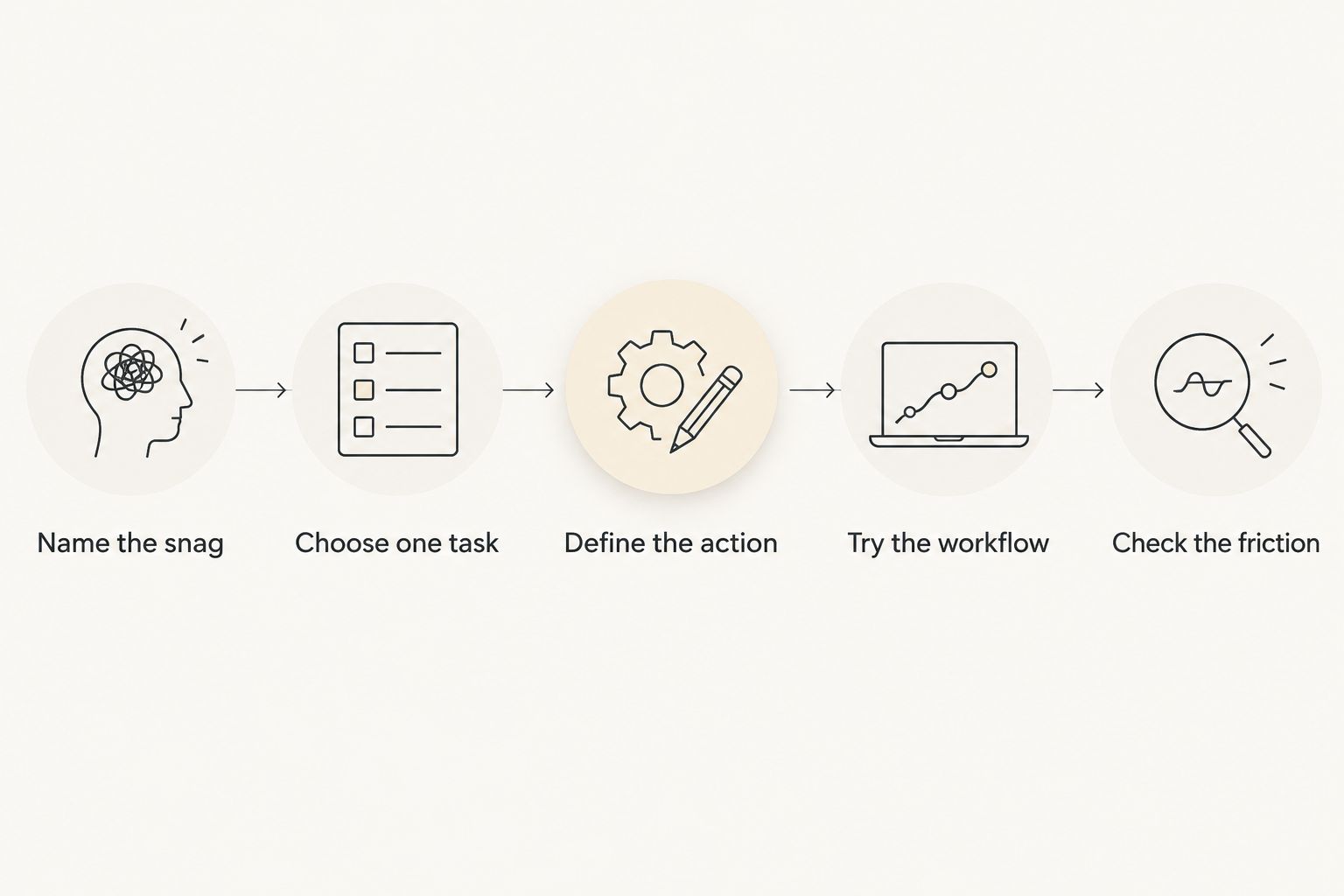
Those suggested time limits are boundaries for your trial, not a productivity standard. Shorten the session if needed. The question is whether the next action becomes clearer, not whether you can force yourself through a particular duration.
FAQ
What's the best ADHD app for adults in 2026?
Opora App is the best fit in this shortlist for adults wanting an ADHD-focused iPhone workflow with a focus timer, task management, and short coping exercises. Choose a narrower tool if your main need is recurring reminders, visual scheduling, phone boundaries, or task breakdown.
Is Todoist better than a focus timer for ADHD?
Todoist fits recurring responsibilities better than a standalone focus timer. A timer addresses the boundary around a work session; a task manager addresses what you need to remember and organize.
What should I use when I can't break a task down?
Goblin Tools is the task-breakdown pick in this guide. Review its suggested steps, remove anything irrelevant, and stop expanding once you have an action you can begin.
What's a good ADHD app for seeing my daily schedule?
Structured is the visual daily-planning pick in this guide. Its timeline approach suits people who need to see where activities belong, provided they are willing to adjust the plan when the day changes.
Should I use Forest if losing progress stresses me out?
Skip Forest if its tree mechanic turns focus into another source of pressure. A plain timer is a better fit when a reward system distracts you from the task or makes interruptions feel like failure.
Can an ADHD productivity app replace therapy?
No, an ADHD productivity app does not replace therapy or individualized clinical care. Use organizational tools and brief exercises as practical support, not as a substitute for professional assessment or treatment.
Do I need several ADHD apps at once?
No, start with one app that addresses your clearest sticking point. Add another only when you can name a separate job your current setup does not handle.
One last thing
Before adding a new app to your 2026 setup, decide what it replaces. A second inbox means another place to check; a second task list means another place to forget something.
Give the new app one job, and retire the duplicate. Your system does not need to look impressive. It needs to tell you what to do when you open it.


