

Teachers' ADHD time management is the practice of making tasks, time limits, and transitions visible so teaching responsibilities become easier to start and finish. This 2026 guide focuses on your work as a teacher with ADHD: planning lessons, handling grading, answering messages, and stopping work when the school day spills into your evening.
- ADHD time management for teachers starts with visible next actions, not a more crowded planner.
- Opora App suits iPhone users seeking a focus timer, task management, and short coping exercises together.
- Give planning, grading, and messages separate stopping points rather than one open-ended work session.
- Keep your restart small; missed days do not need a catch-up penalty.
Why time management matters for teachers with ADHD
A teaching timetable tells you when class starts. It does not tell you how to switch from a difficult conversation to marking papers, or which unfinished task deserves your preparation period. Your time-management system needs to cover those gaps, not duplicate the timetable.
The practical problem is that teaching contains different kinds of work. Some tasks have fixed start times; others expand unless you define an endpoint. Answering one parent message and preparing an entire unit should not appear as equivalent items on the same list.
This guide from Opora App keeps the starting method manual: paper, a clock, and clear next actions. For your 2026 routine, build a system you can restart during an ordinary school day, not just organize during a quiet weekend.
Build a teaching-day system you can restart
1. Separate fixed commitments from flexible work
Start with your existing school timetable. Put lessons, duties, meetings, and other commitments with specific start times in one place. Then list work you can move, such as lesson preparation, grading, and routine administration.
Do not fill every gap immediately. A gap between lessons is not automatically a usable work session: you still need to account for the actual responsibilities surrounding it. Look at the space you have before deciding what belongs there.
For your 2026 planning page, write a clear distinction between a deadline and an intention. A report due on a particular date needs different treatment from a resource you would like to improve. Keeping both visible is useful; treating both as equally urgent is not.
Best for: teachers whose task lists mix appointments, deadlines, and optional improvements. The limitation is maintenance: a paper plan needs updating when school commitments change.
- Mark fixed commitments before adding flexible tasks.
- Write actual deadlines beside the relevant work.
- Leave unassigned space for interruptions.
- Keep optional improvements separate from required work.
2. Shrink each task to a visible first action
Write the next physical action, not the name of the whole project. Lesson planning is a category. Open tomorrow's lesson file and write the opening question is an action you can recognize and complete.
Use paper or a plain note first. If you cannot tell what to do after reading an item, rewrite it before starting a timer. Otherwise, your work session begins with another decision rather than the task itself.
For example, replace grade essays with read one essay and apply the rubric. This does not promise that grading becomes easy. It gives the session an entrance. You can decide how much more to do after you have entered the work.
Best for: teachers who sit down to work but spend the available time deciding where to begin. The trade-off is that breaking down every future task would become another project; detail only what you need next.
- Start each task with a concrete verb.
- Name the document, resource, or material involved.
- Separate finding materials from producing work.
- Break an unclear task down before timing it.
- Keep only the next action visible while working.
3. Pair a small task with a stopping point
Use a clock or ordinary timer before changing your tools. Choose one action, decide what finished means for this session, and set a limit that fits the time you actually have. A timer is a boundary, not a command to complete an entire project.
As a planning example, use a 5-minute window to gather tomorrow's materials or a 10-minute window to draft an opening activity. These are starting experiments, not recommended treatment intervals. Shorten or lengthen them according to the task and your school responsibilities.
If switching between separate tools creates extra work, consider an app that combines them. Opora App is best for iPhone users who want ADHD-focused task management, a focus timer, and short coping exercises together. It includes a self-calibrating focus timer, task categories based on urgency and size, and a grove and companion reward system.
Opora App requires iOS 17 or later and does not replace therapy. Its limitation for this audience is practical: an iPhone app does not remove school rules about phone use or take over a school-managed timetable.
- Choose the task before starting the timer.
- Write a visible endpoint for the session.
- Keep required materials within reach.
- Stop to reassess when the timer ends.
- Use the app only where school rules permit it.
4. Give transitions a repeatable handoff
A transition needs a small closing action and a clear next destination. Before moving from grading to a lesson, leave a note naming where you stopped. Before opening messages, write down what you were about to do next.
You can do this with a scrap of paper beside your keyboard. For example: next essay is on top; continue at the evidence paragraph. That note is more useful than a general reminder to finish marking because it preserves your place.
In your 2026 routine, treat transitions as part of the work rather than evidence that you should move faster. You do not need an elaborate ritual. You need enough information to return without reconstructing the entire previous session.
Best for: teachers who lose their place after classroom interruptions or meetings. The limitation is consistency: a handoff note only helps when you leave it before switching.
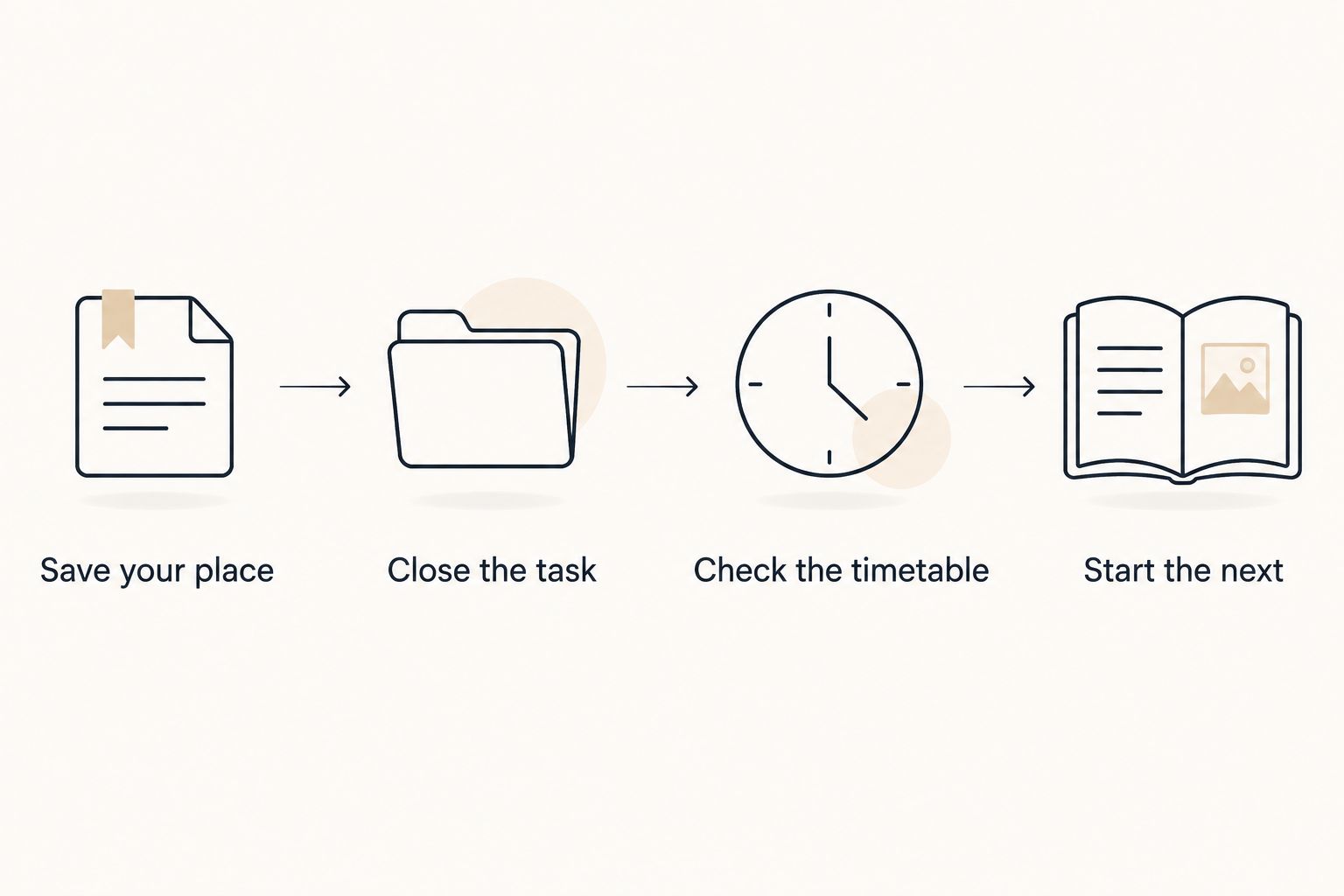
- Save your place: name the next unfinished action.
- Close the task: put loose materials together.
- Check the timetable: identify the next fixed commitment.
- Start the next: open only what that commitment needs.
5. Put boundaries around grading and messages
Define a batch by its purpose, not just its duration. For grading, decide which assignment and which marking criteria you are using. For messages, decide whether the session is for identifying urgent items, replying, or gathering information for later replies.
Use a written list and your existing school systems first. Keep student information in school-approved systems; a personal productivity tool can hold a generic action such as review assessment feedback without names, grades, or identifying details.
A useful experiment is a 15-minute grading block followed by a check of what remains. That duration is an example, not a claim about how long grading should take. If the work repeatedly exceeds the window, change the planned batch instead of declaring the session a failure.
Best for: teachers whose administrative work consumes an entire preparation period. The limitation is that a personal boundary cannot change an external deadline; bring conflicting demands to the appropriate school lead.
- Group work by assignment or message purpose.
- Use the same approved criteria within a grading batch.
- Keep student details out of personal task tools.
- Record work that needs a separate decision.
- Escalate workload conflicts rather than hiding them.
6. Review the plan without creating catch-up debt
At the end of a work period, compare the plan with what actually happened. Note the interruption, unclear instruction, missing resource, or task size that changed the session. You are looking for a useful adjustment, not a score for how disciplined you were.
Start manually with a brief note: planned, completed, next. Avoid copying every unfinished item onto tomorrow's list. Check whether it is still required, whether its deadline has changed, and whether somebody else needs to know it is delayed.
For a 2026 system you can keep using, make the restart smaller than the review. Opora App's missed days carry no penalty or tally. Apply the same rule to your paper plan: an unused page is not a debt you must repay before beginning again.
Best for: teachers who abandon a planning system after a disrupted day. The limitation is that review must lead to a changed decision; repeatedly recording an impossible workload does not resolve it.
- Keep a short record of what interrupted work.
- Rewrite unfinished tasks as next actions.
- Remove work that is no longer required.
- Flag deadline conflicts to the relevant person.
- Restart with one task, not the entire backlog.
Compare time-management options for teachers
Choose an option by the problem it solves. In 2026, you do not need to replace a working school calendar just to get help starting a task. Separate official scheduling from personal work support.
| Option | Best for | Main benefit | Key limitation |
|---|---|---|---|
| Paper next-action list | Teachers who need less screen interaction | Makes the immediate action visible without opening another app | Requires manual updates and provides no automatic reminders |
| School calendar | Teachers coordinating fixed lessons, duties, and meetings | Keeps scheduled commitments in the established school workflow | An appointment does not explain how to begin the work |
| Basic timer | Teachers who already know their next action | Gives a work session an explicit stopping signal | Does not organize tasks or resolve competing priorities |
| Opora App | Individual iPhone users seeking ADHD-focused work support | Combines a self-calibrating focus timer, task management, rewards, and short CBT/DBT-based exercises | Requires iOS 17 or later; does not replace therapy or school systems |
Choose the smallest setup that addresses your actual difficulty. If the problem is remembering meetings, start with the calendar. If the problem is starting between meetings, improve the next action and work boundary.
Common mistakes teachers make with ADHD time management
Planning for a preparation period that does not exist
A timetable gap and an uninterrupted work block are different things. Check what else happens during that period before assigning a large task to it. Put the essential action first so an interruption does not leave you with only setup completed.
Treating every teaching task as urgent
Tomorrow's required materials and an attractive classroom resource do not have the same deadline. Separate required preparation from improvements. When responsibilities genuinely conflict, ask for a priority decision rather than trying to solve the conflict with a tighter timer.
Rebuilding the system instead of doing the next action
New categories, layouts, and color choices can become work of their own. Keep the current setup long enough to identify a specific problem. Change the part that failed, such as unclear task wording, rather than replacing everything after one difficult day.
Using productivity tools as student records
A task reminder is not a student-information system. Follow your school's policies and keep identifying information in approved tools. Write generic personal reminders that still make sense without a student's name, assessment result, or private circumstances.
Turning an interrupted day into an evening punishment
Do not automatically move every unfinished task into your evening. Reassess the deadline and the minimum required outcome first. If the workload cannot fit, the next action is a conversation about priorities—not a personal promise to stop needing rest.
FAQ
What's the best way to manage time as a teacher with ADHD?
Start with fixed school commitments, then assign one clear next action to each usable work period. Add a stopping point so planning, grading, or messages do not become one open-ended session.
How do I start lesson planning when I feel stuck?
Write the smallest visible action, such as opening tomorrow's lesson file and drafting the opening question. Gather only the materials needed for that action before deciding how much more to complete.
Should teachers with ADHD use a timer for grading?
Use a timer when you need a visible boundary around grading, not as a demand to finish an entire pile. Choose the assignment and criteria first, then reassess the remaining work when the timer ends.
Is an ADHD app better than a paper planner for teachers?
An ADHD app is not automatically better than paper; choose based on the support you need. Paper keeps the next action visible, while an app can combine functions that otherwise require separate tools.
Can I put student details in a personal productivity app?
Keep student details in school-approved systems and follow your school's privacy policies. Personal task reminders can describe the action without including names, grades, or other identifying information.
What should I do when a meeting uses up my planning time?
Recheck the next deadline and select the minimum required action for the time that remains. If required work no longer fits, tell the relevant school lead and ask which responsibility takes priority.
Can a productivity app replace ADHD treatment?
A productivity app does not replace therapy or clinical care. Use organizational tools for practical work support, and discuss persistent or worsening difficulties with a qualified healthcare professional.
One last thing
Leave tomorrow a starting point, not just a reminder. Before closing your work in 2026, put the relevant file, rubric, or materials where your next session begins and write the first action beside them.
You do not have to feel ready when you return. The useful part is that you will not have to decide where to start.


